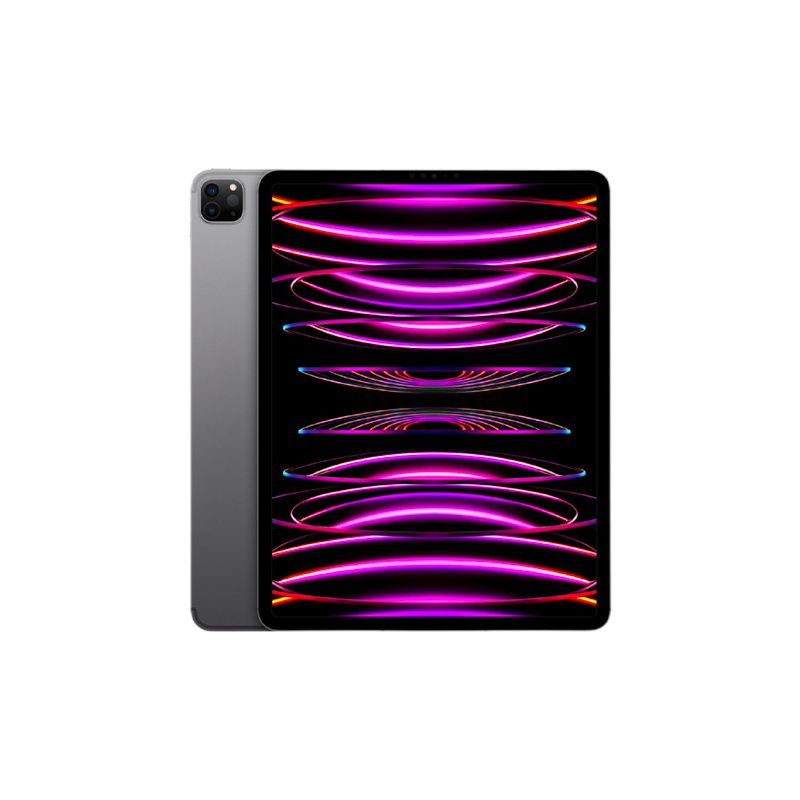
iPad Pro®
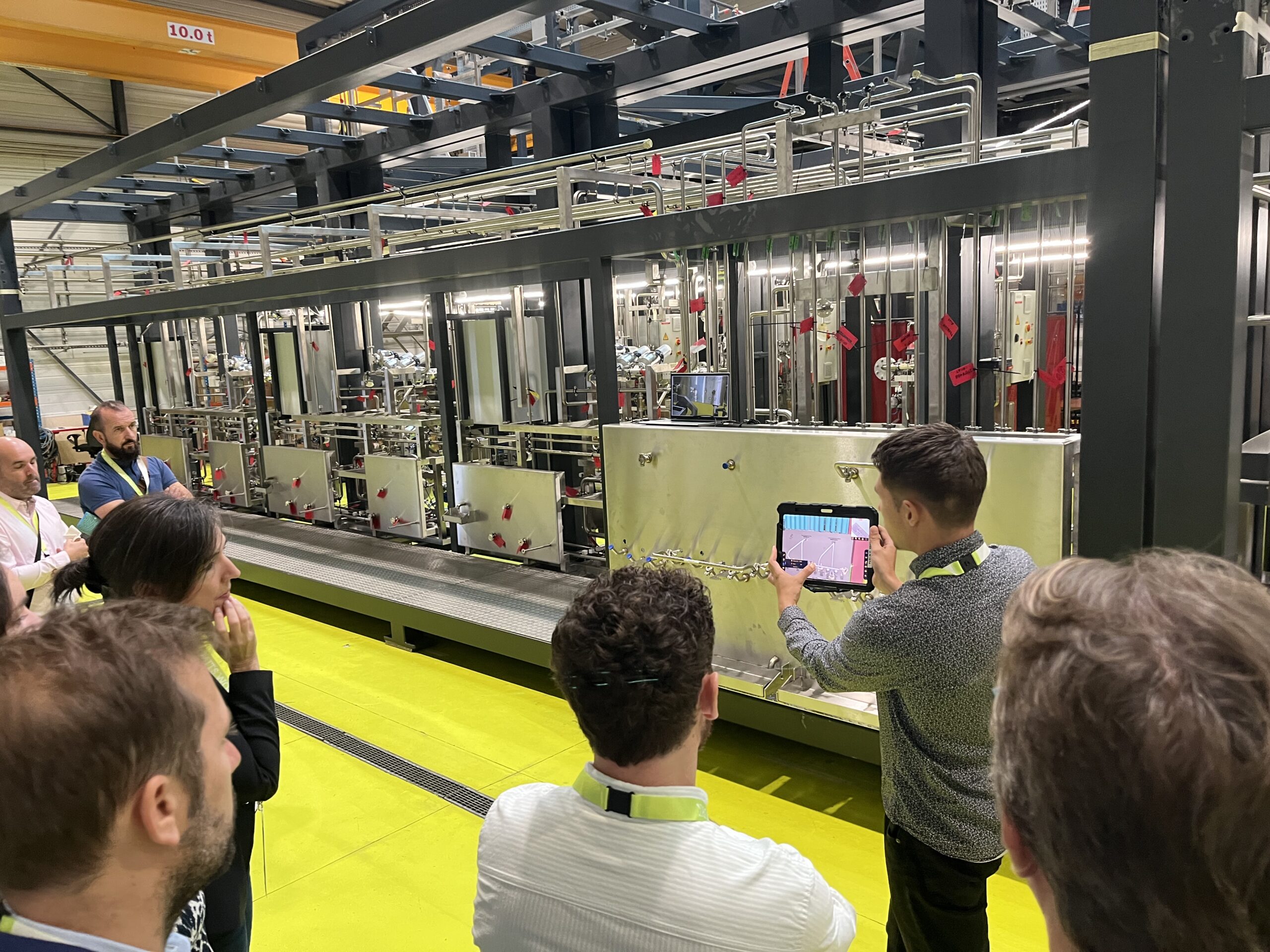
A professional, field-ready Augmented Reality solution for everyone.
iPad Pro® version
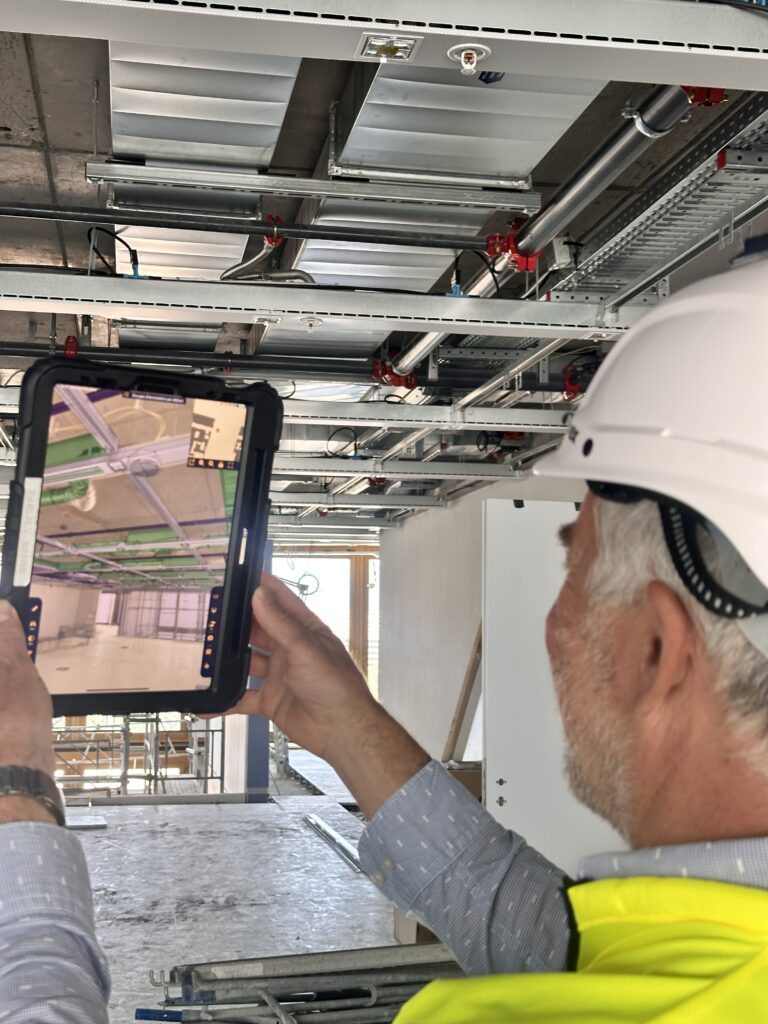
Visualize your BIM model at full scale directly on site—without internet and without complex setup. Augmented Reality (AR) becomes accessible to all field teams. Keep your model at your fingertips, ready to be displayed in AR on site to check, annotate, and export reports in just minutes.
Discover our solution in video!

Why choose NEXT-BIM on iPad Pro?

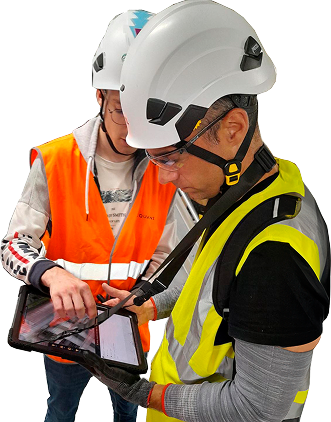
Works anywhere, even offline
Use it without internet connection, including underground or in constrained environments.

Automatic and continuous alignment
Precisely overlay the 3D model onto reality—no markers, no site preparation.

Smooth navigation of very large BIM models
Navigate seamlessly through multi-GB models thanks to NEXT-BIM’s proprietary 3D engine.

Interoperability & OpenBIM
Export to Word, Excel, and BCF + BCF import
Easily integrate with your existing tools.
Reliable technology,
compatible with your tools
- Unique alignment technology
- Supported formats: IFC, NWD
- Devices: iPad Pro, HoloLens 2
- Offline mode
- OpenBIM compatible
- No cloud data storage
Why choose NEXT-BIM on iPad Pro?
A BIM Augmented Reality solution designed for the field—not for demos.
- Instant onboarding
No BIM expertise required.
Designed for field teams.
- Automatic, continuous alignment
Precise overlay of the 3D model onto reality
no markers, no site preparation.
- Already used on site
NEXT-BIM runs on iPad
a device already widely adopted by field teams.
- Works anywhere, even offline
No internet required
works underground or in constrained environments.
- Handles very large BIM models
Smooth navigation through multi-GB models,
powered by NEXT-BIM’s proprietary engine.
- OpenBIM & actionable reports
Direct export to Word, Excel, and BCF,
seamless integration with existing workflows.
Why iPad Pro?
The iPad Pro is currently the only tablet equipped with a LiDAR sensor (Light Detection and Ranging)—a key technology for precise Augmented Reality on construction sites.
This sensor continuously scans the real environment by measuring distances and volumes. Combined with NEXT-BIM’s unique alignment technology, it enables :
-
Automatic and precise alignment of the 3D model with reality, without QR codes or markers.
-
Real-time correction of positional drift through continuous model alignment, ensuring reliable overlay even while moving on site.
-
Centimeter-level accuracy suited to professional uses, such as progress tracking, as-built documentation, commissioning (OPR), quality control, and maintenance.
Design phase
Project on an empty site to validate layout intentions.

Construction phase
Quality control, installation, error detection.

Maintenance phase
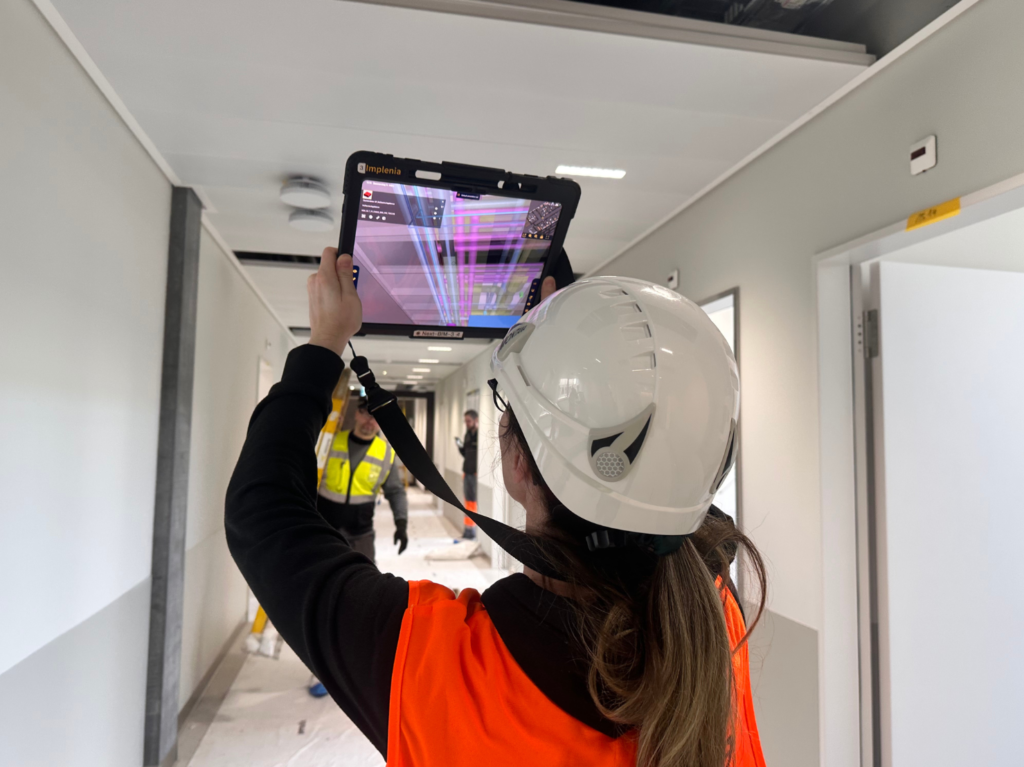
Visualize hidden networks through walls for fast and accurate checks.


Real-world,
proven use cases.
PROGRESS TRACKING
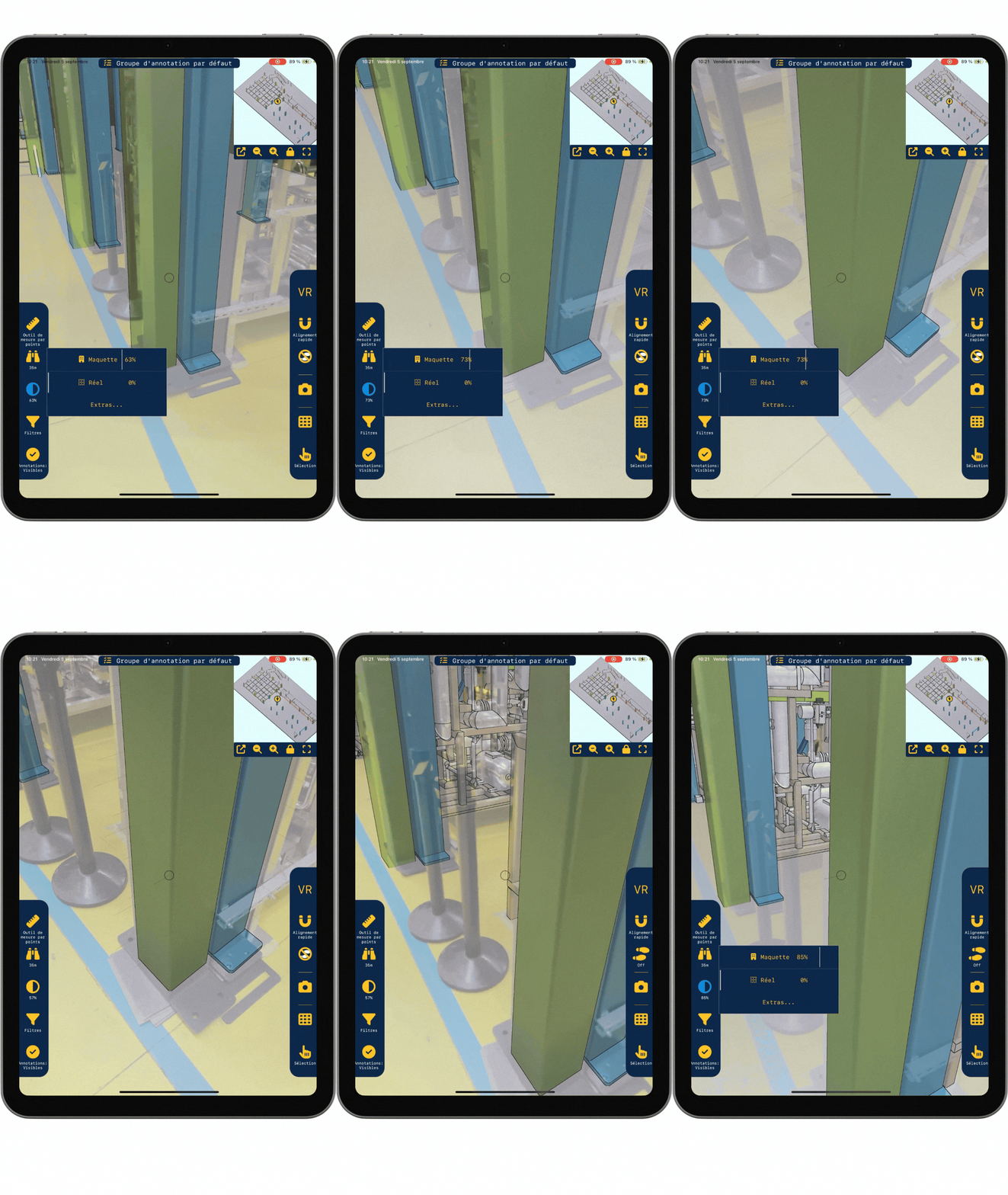
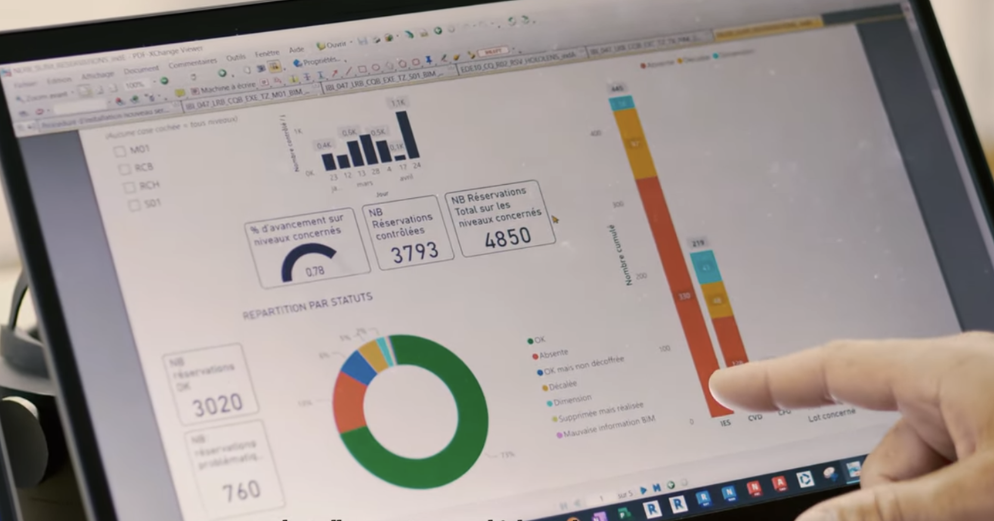
PROGRESS TRACKING Monitor site progress in real time, directly on site With the NEXT-BIM Augmented Reality solution, overlay the 3D model onto reality and instantly identify what has been built and what remains to be done. Move from declared progress to verified progress. 1. Quantified progress Each installed element is identified in the model, by [...]
PREVENTIVE AND CORRECTIVE MAINTENANCE
PREVENTIVE AND CORRECTIVE MAINTENANCE Intervene faster with the right data. With the NEXT-BIM Augmented Reality solution, overlay the 3D model onto reality. Instantly locate your equipment, access its technical data and follow a guided route. 1. See through walls Thanks to the overlay of the BIM model onto reality, instantly locate your equipment and networks [...]
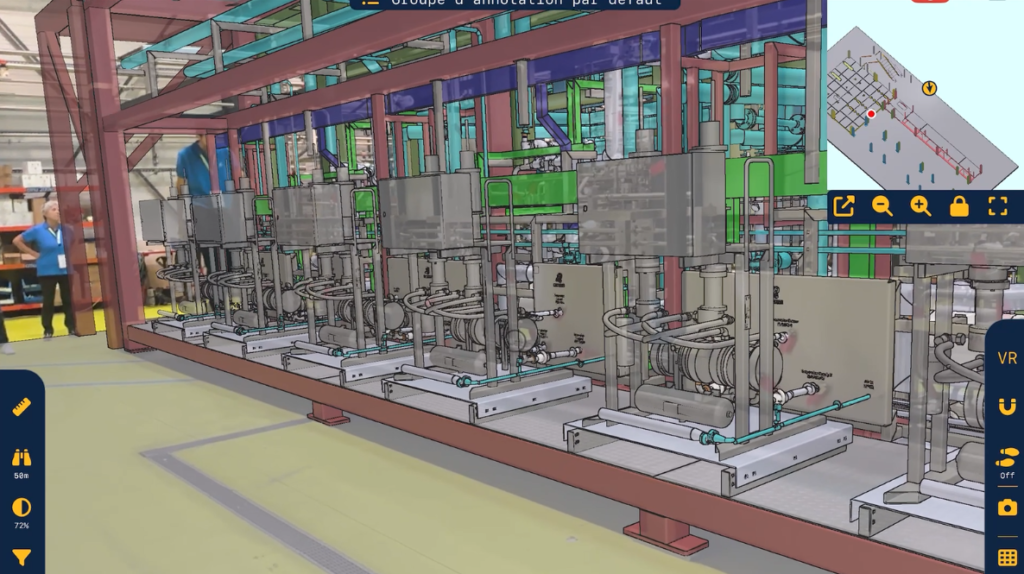
INDUSTRIAL LAYOUT
INDUSTRIAL LAYOUT Visualize your industrial equipment before it is fixed — in Augmented Reality With the NEXT-BIM Augmented Reality solution, visualize your future industrial layout at 1:1 scale in the real environment. Anticipate constraints, validate positions and secure costs. 1. Time savings Thanks to Augmented Reality, layout decisions are validated directly in real conditions, with [...]
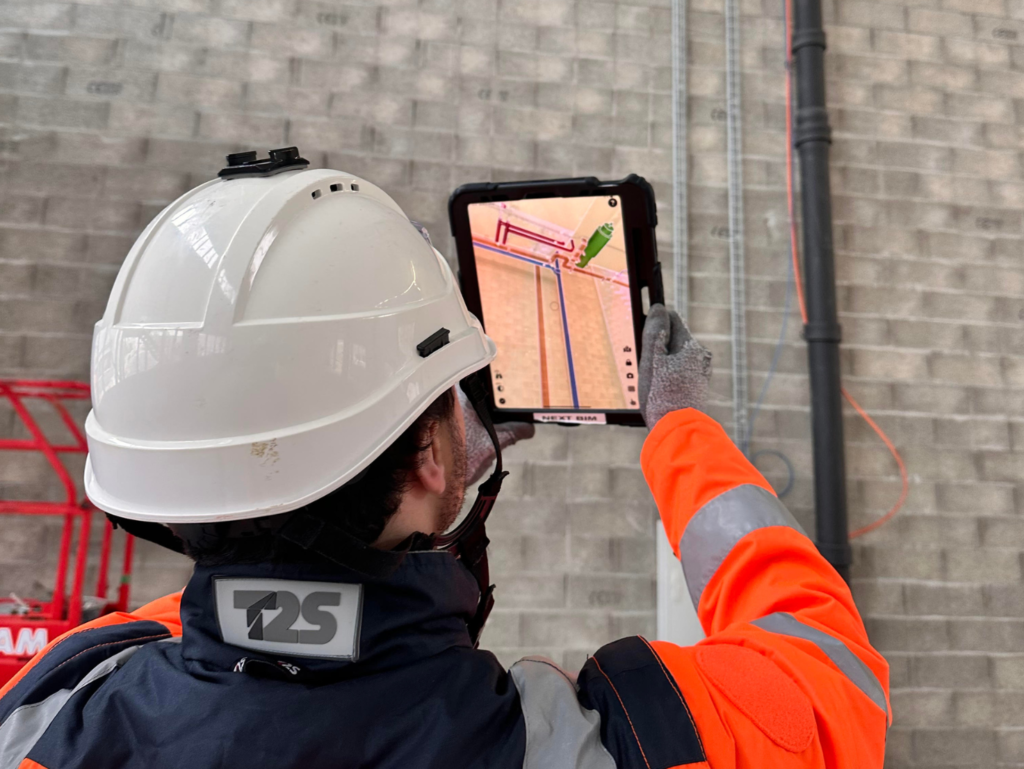
DIGITAL AS-BUILT
DIGITAL AS-BUILT Accelerate your as-built. Improve quality. Reduce rework. With the NEXT-BIM Augmented Reality solution, compare the 3D model with reality, detect deviations instantly at any moment, and generate your AS-BUILT deliverables in just a few clicks. 1. Time savings Continuous as-built tracking in Augmented Reality. Up to 70% time savings on your as-built operations. [...]
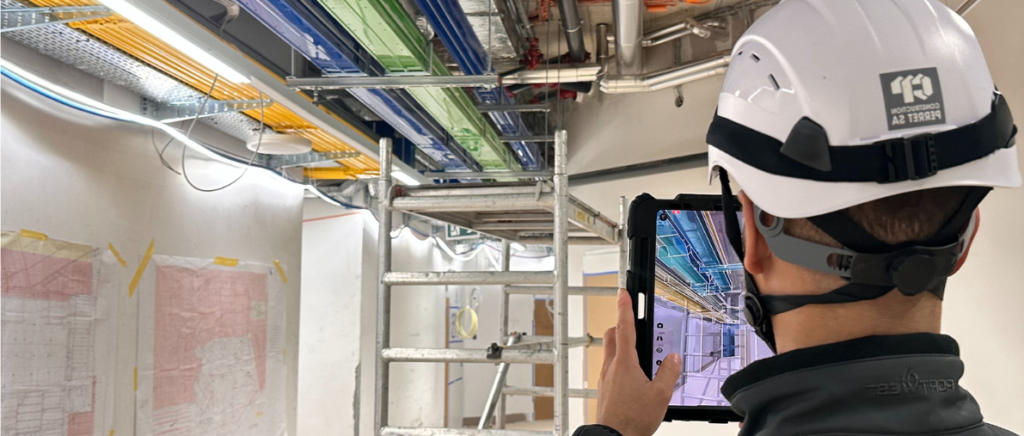
CONSTRUCTION MONITORING
CONSTRUCTION MONITORING Anticipate construction. Control what is executed. With the NEXT-BIM Augmented Reality solution, the BIM model superimposed onto reality becomes a field management tool to understand and anticipate works, detect defects and secure execution in real time. 1. Fewer reworks Potential errors are detected before installation, not after. Fewer reworks, fewer late corrections, fewer [...]
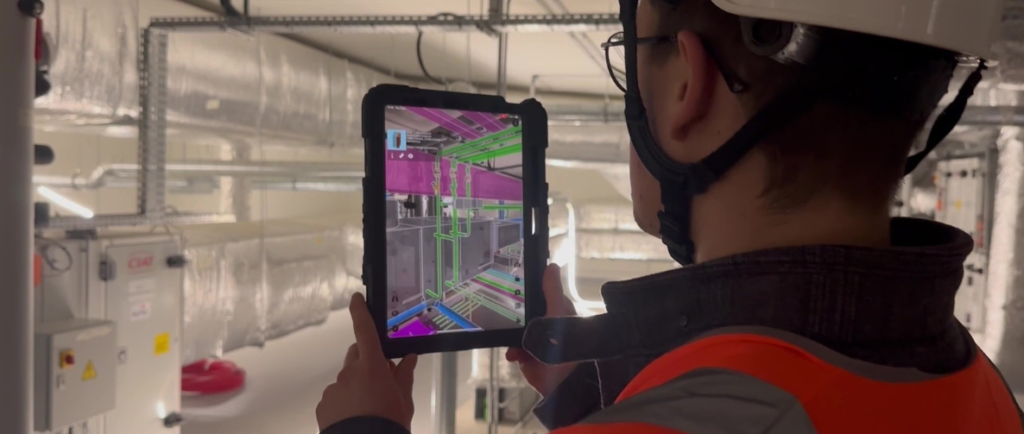
PRE-ACCEPTANCE INSPECTION
OPR & COMPLIANCE AUDITS Accelerate your OPR and secure handover with Augmented Reality. With the NEXT-BIM Augmented Reality solution, the BIM model overlaid onto reality becomes the central tool for OPR. Issues are visible, measured and located in real time, without re-entry or interpretation. 1. Time savings Defects and missing elements are immediately visible on [...]
BIM Manager
― Spie Batignolles
“At Spie Batignolles, we tested all AR solutions on the market, and NEXT-BIM is the only one that fully meets our expectations in terms of accurate alignment between the 3D model and reality.”
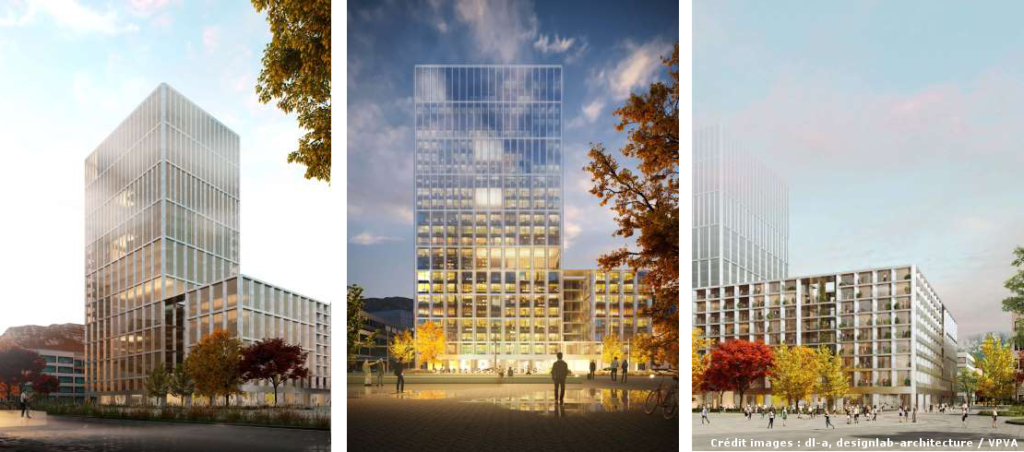
NEXT-BIM and HRS Real Estate: A large-scale collaboration for the Campus Pictet de Rochemont project in Geneva
As part of the prestigious Campus Pictet de Rochemont project in Geneva, HRS Real Estate chose to integrate the advanced NEXT-BIM solution to optimize project management and execution.
Key features.
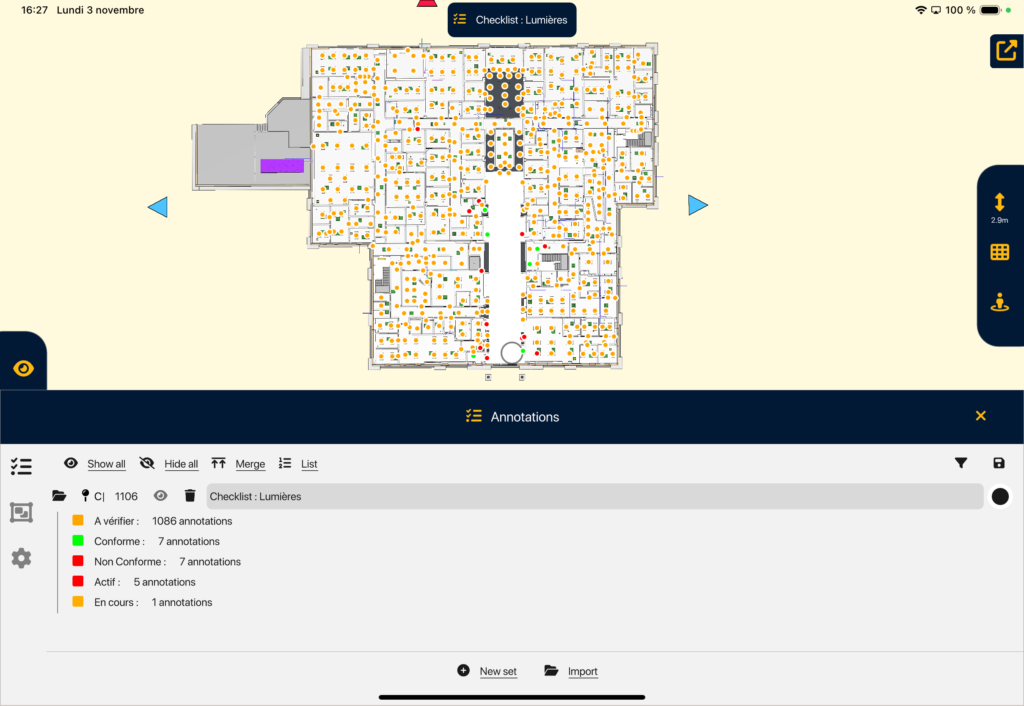
ANNOTATION TOOL
ANNOTATION TOOL Create your annotations in Augmented Reality easily. Thanks to the NEXT-BIM Augmented Reality solution, discrepancies become immediately visible, making it possible to create clear annotations without interpreting plans. Each annotation gathers photos, comments, measurements and technical data, directly linked to BIM objects. 1. Georeferenced annotations Annotations are attached to a BIM object or [...]
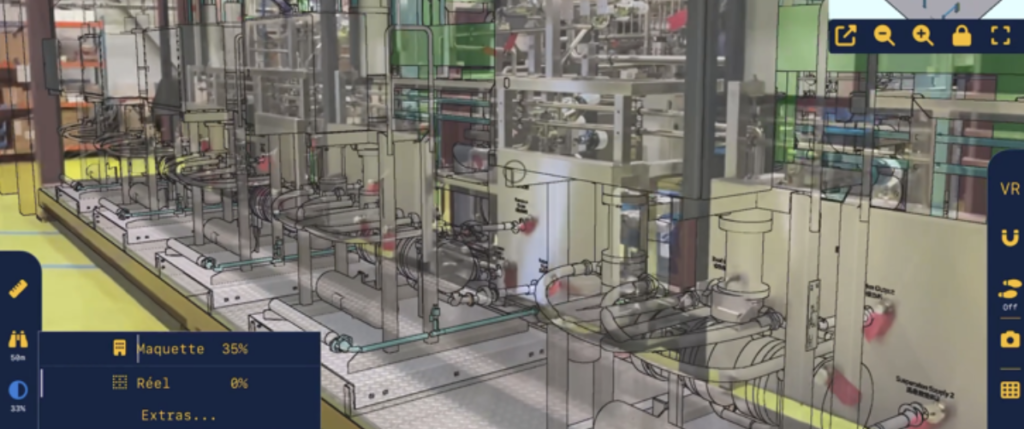
MODEL / REAL ALIGNMENT
MODEL / REAL ALIGNMENT Overlay the BIM model onto reality, automatically and continuously. Instantly overlay your BIM models onto the real environment, at 1:1 scale in Augmented Reality, without markers or preparation. The BIM model superimposed onto reality becomes a field control tool to understand and anticipate construction, detect defects and secure execution in real [...]
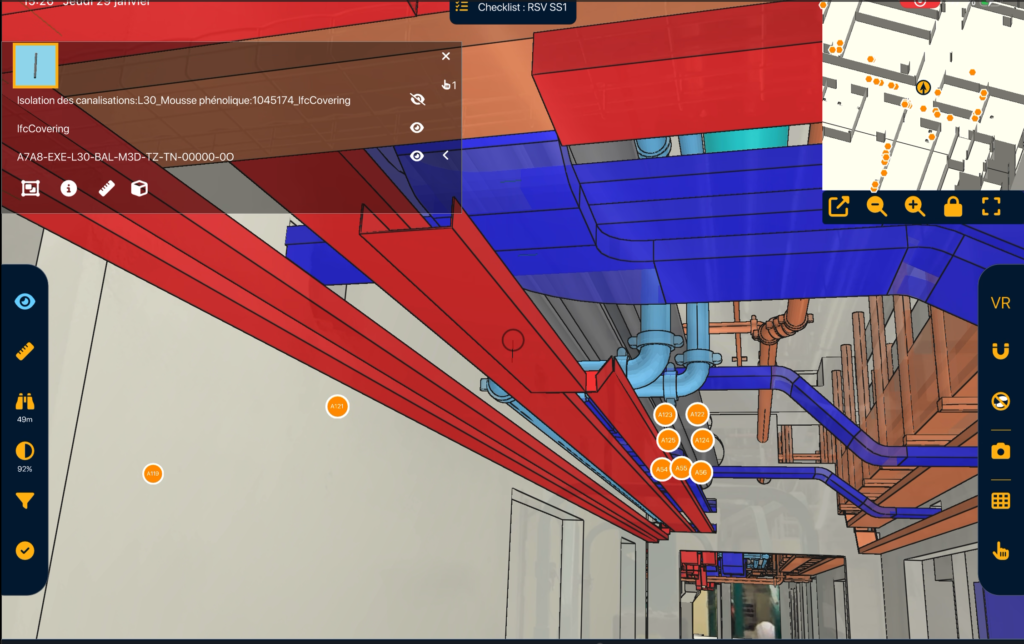
VISIBILITY FILTERS
VISIBILITY FILTERS Filter to instantly visualize what you need. Control faster. With NEXT-BIM visibility filters, dynamically display or hide objects by categories, phases, packages, systems or scenarios. Simplify model reading, instantly display what you need and reduce errors. 1. Timesavings Instantly display only what matters to you. 2. Improvedreadability Unnecessary objects are hidden, improving understanding. [...]
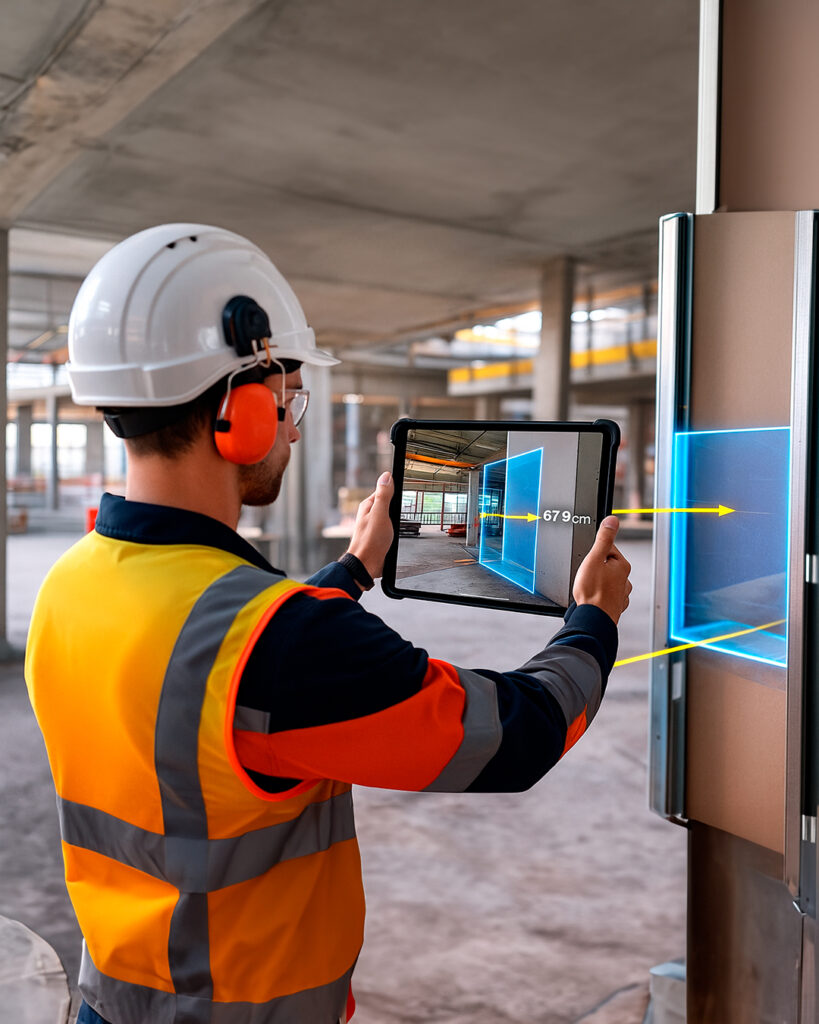
MEASUREMENT TOOLS
MEASUREMENT TOOLS Measure with precision. With NEXT-BIM, take measurements directly in Augmented Reality. Whether from real to real, real to virtual, or virtual to virtual, obtain reliable and usable dimensions without additional tools. 1. Multi-contextdimensioning Instantly take your measurements on site, in the model, or measure deviations between reality and the model. 2. Timesaving No [...]
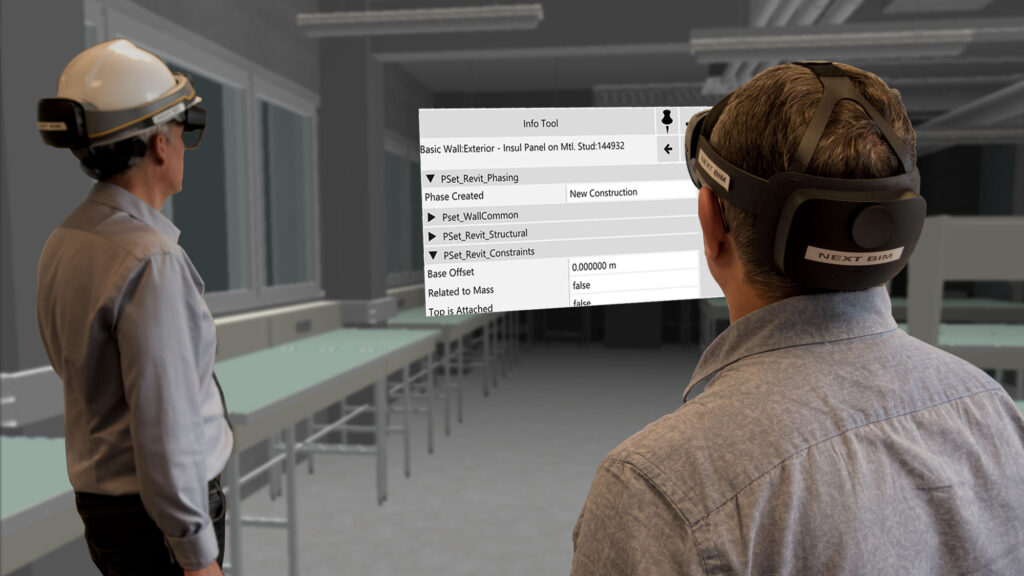
TECHNICAL INFORMATION TOOL
TECHNICAL INFORMATION TOOL Access the technical information linked to the 3D model Instantly consult all technical information from your BIM model (BIM properties, PDFs, etc.) directly on site. In one click, a clear and structured panel displays all available data. 1. Contextualized information Information is accessible directly on the related object. 2. Fewererrors Each decision [...]
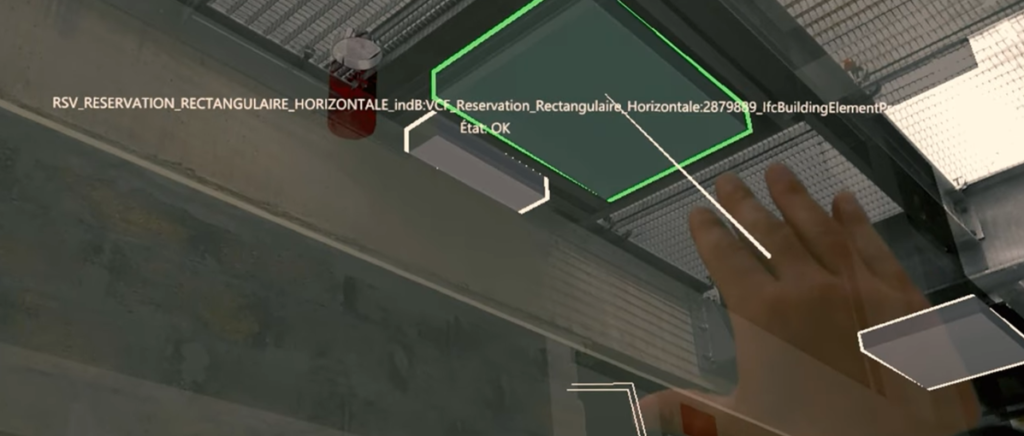
CHECKLISTS
CHECKLISTS Inspect your objects in series in Augmented Reality. With NEXT-BIM checklists, quickly inspect lists of objects in Augmented Reality. A 3D guidance system leads you from object to object to check, validate or invalidate in one click. 1. Time saving Accelerate your inspections thanks to intelligent 3D guidance and validate the object in one [...]
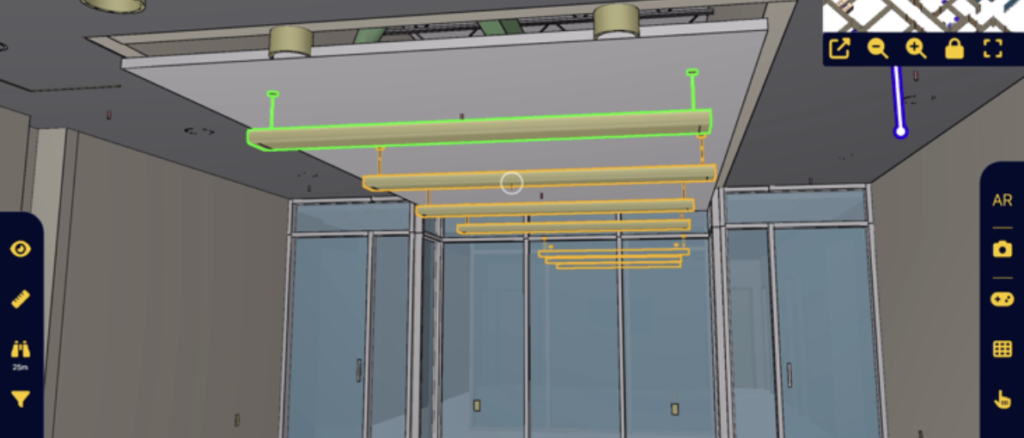
PROGRESS TRACKING TOOL
PROGRESS TRACKING TOOL Manage the progress of your works directly from the BIM model. Track the real-time progress of your project directly in the NEXT-BIM application. Link your BIM elements to phases, statuses and measurable indicators to obtain a reliable, structured progress rate automatically calculated. 1. Better schedule management Progress tracking in Augmented Reality provides [...]
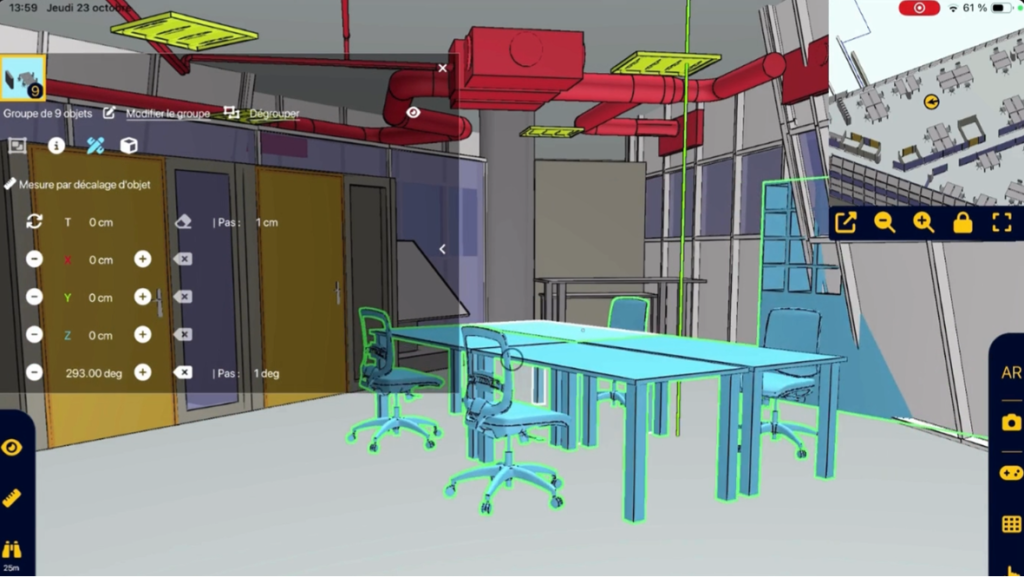
DYNAMIC OBJECT MOVEMENT
DYNAMIC OBJECT MOVEMENT Move 3D objects dynamically in Augmented Reality Move your BIM objects dynamically in AR to control volumes, measure differences between reality and the project, and organize your space directly on site. 1. Fast & reliable decision Validate on site the real feasibility of layouts, without interpreting drawings or assumptions. You instantly know [...]
How does a NEXT-BIM workflow work ?
A process designed for field teams: prepare in the office, use on site in AR, and export actionable data.
- Prepare
- On site
- Report
Prepare your model
in just a few clicks
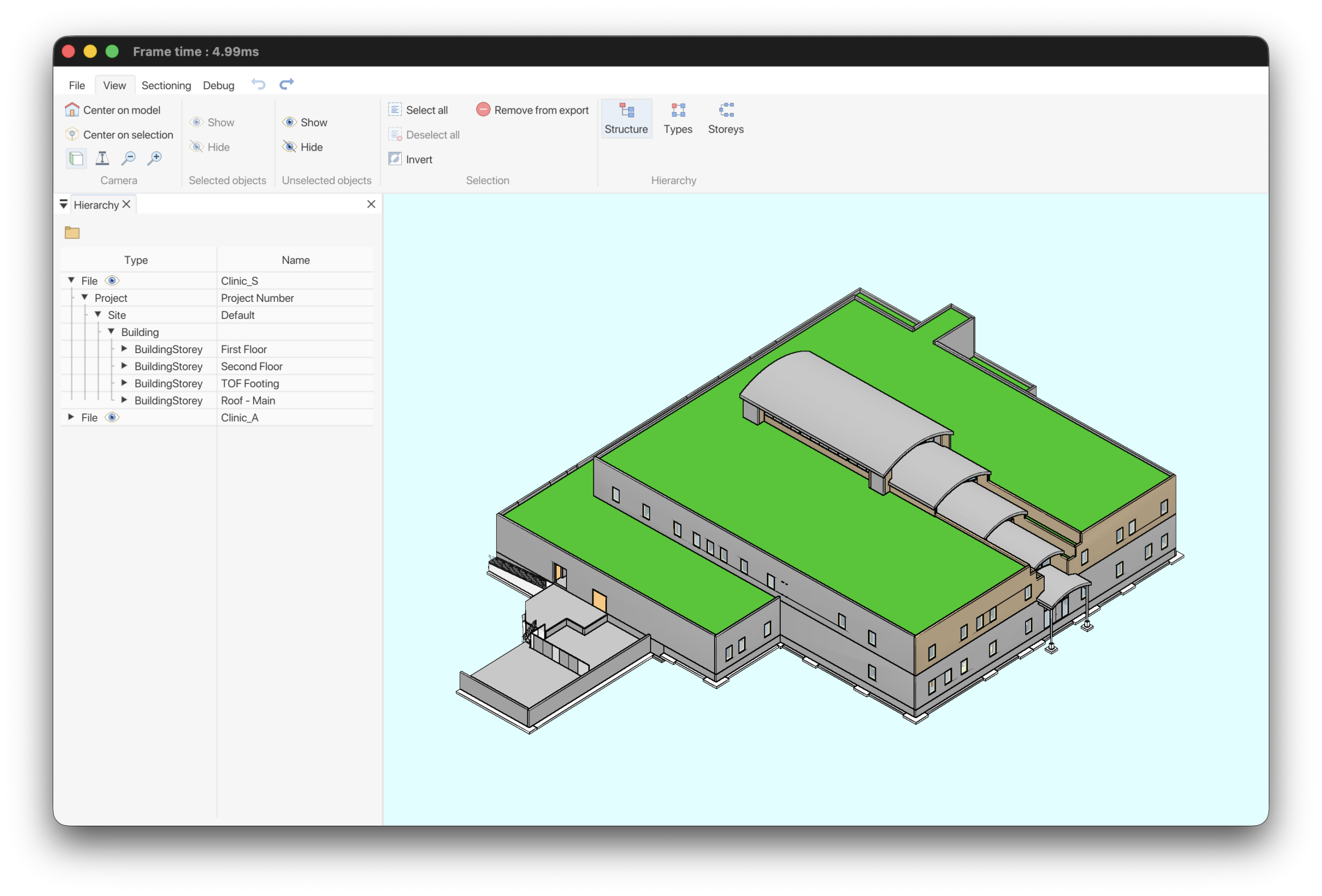
In the office, prepare your model once for efficient use. Using the NEXT-BIM Configurator on PC, users can independently convert IFC or NWD files into the proprietary NEXT-BIM format. Reusable templates allow you to avoid reconfiguring models for updates or new projects.
- Automatic conversion
- Reusable templates
- Custom configuration (colors, filters, checklists, progress tracking…)

Time-saving
Templates reusable across all projects.

Custom setup
Adapted to each trade.
Field-ready
No setup required on site.
Augmented Reality
session on site
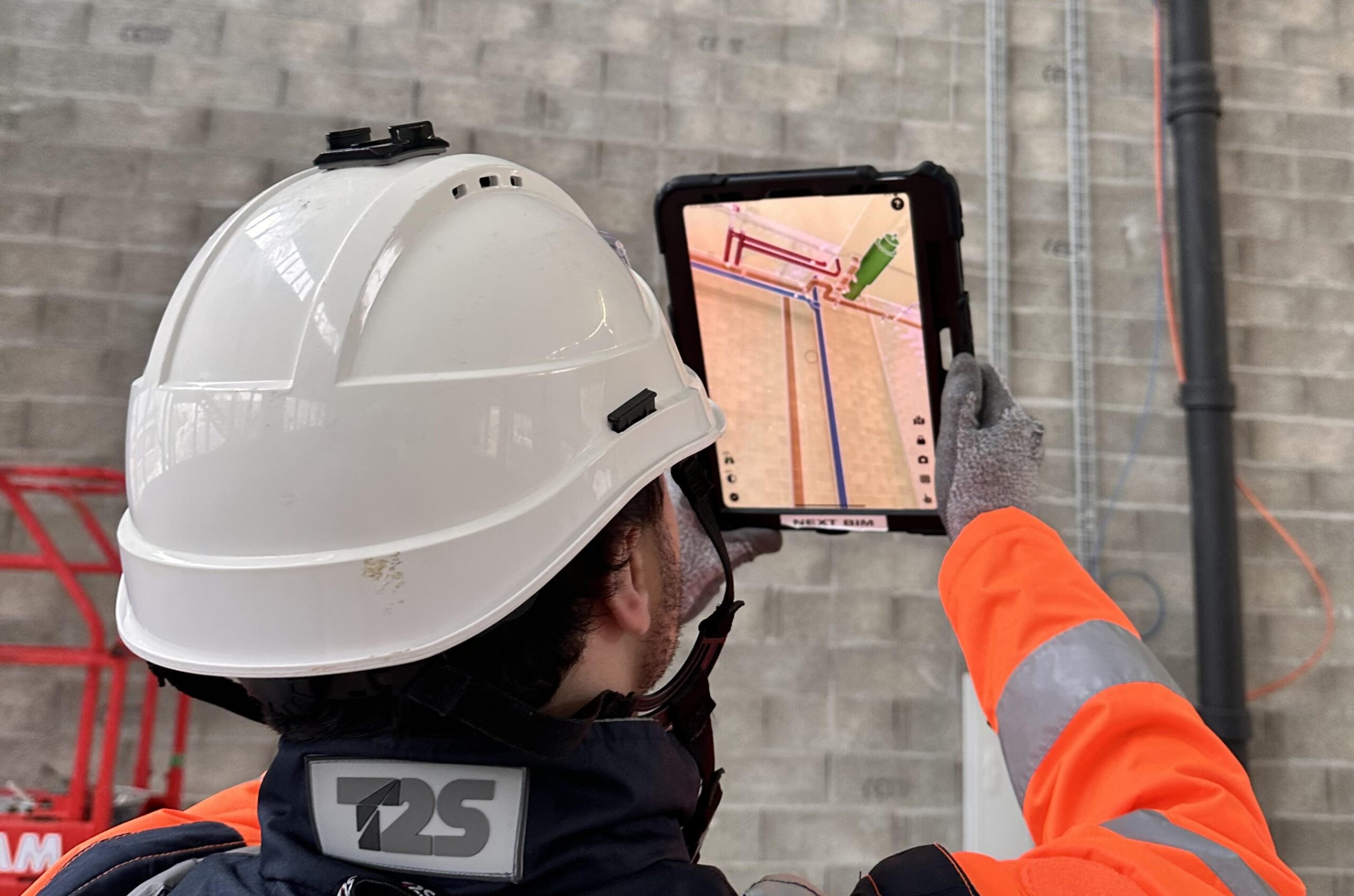
The NEXT-BIM Explorer application allows you to overlay the 3D model onto the real environment. The user creates Augmented Reality annotations to record observations during the session.
- Automatic & continuous alignment Precise and stable alignment of the model within the real environment.
- Geolocated annotations Notes on BIM objects, including photos and data.
- Field tools Measurements, checklists, progress tracking…
- Offline mode No internet connection required on site.

Fewer errors
Immediate visual inspection + technical information displayed in the right place.
Simplicity
Immediate usability and clear understanding of the 3D model for all profiles.

Quality
Improved work quality with elements correctly installed from the first time.
Augmented Reality
session on site
At the end of the session, export your data in the format required by your BIM teams and collaborative tools.
All NEXT-BIM data can be exported in BCF format (2.1, 3.0), XLSX + JPG or Word. Annotations can be reopened on all collaborative BIM platforms and are georeferenced in the 3D model with all associated data (photos, status, title, comments, technical information, measurements…).
- Standard exports BCF 2.1/3.0, XLSX, Word
- Enriched data Site photo, AR photo, status, title, comment, technical information, measurements…
- BIM interoperability Compatible with collaborative platforms and OpenBIM workflows.

No re-entry
The report is automatically generated from field data.

Greater traceability
Each observation is geolocated in the 3D model and attached to a BIM object.

Easy integration
Formats already used by your teams and partners.