INDUSTRIAL LAYOUT
INDUSTRIAL LAYOUT
With the NEXT-BIM Augmented Reality solution, visualize your future industrial layout at 1:1 scale in the real environment. Anticipate constraints, validate positions and secure costs.


Thanks to Augmented Reality, layout decisions are validated directly in real conditions, with shared visual proof. Decisions are made twice as fast.
Thanks to Augmented Reality, space conflicts, positioning errors and maintenance clearance compliance are checked before installation.
Thanks to Augmented Reality, there are fewer late modifications and fewer corrective interventions during the execution phase. Planning stays on track and indirect costs are reduced.
A single clear and shared vision. Engineering, production, maintenance and HSE teams see the same thing, in the same place. Full-scale projection eliminates misunderstandings and abstract discussions.
In industry, every square meter is strategic. Installing a production line or a technical network requires precision and close coordination between engineering offices and installation teams. The slightest positioning error, poorly anticipated access, or undetected interference can quickly lead to major rework, production downtime, and significant additional costs.
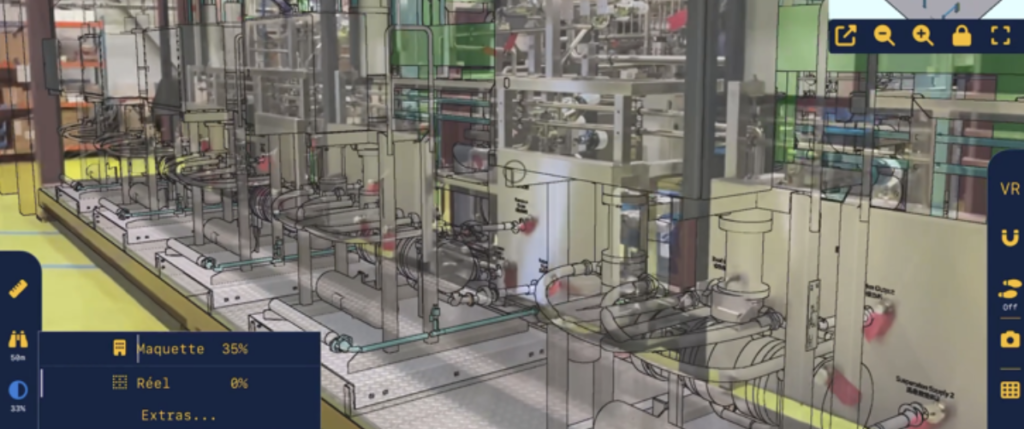
With NEXT-BIM, Augmented Reality provides a concrete and shared vision of the industrial layout. The BIM model is superimposed onto reality at 1:1 scale, directly in the factory or workshop. Teams can immediately visualize equipment placement, circulation paths, maintenance access, and safety zones, without interpreting drawings. This projection in real conditions makes it possible to verify technical openings and supply connections in advance, while anticipating interferences, clashes, and accessibility constraints before any installation.
Layouts can be adjusted before installation, multiple scenarios can be compared, and decisions can be collectively validated even before ordering or installing equipment.

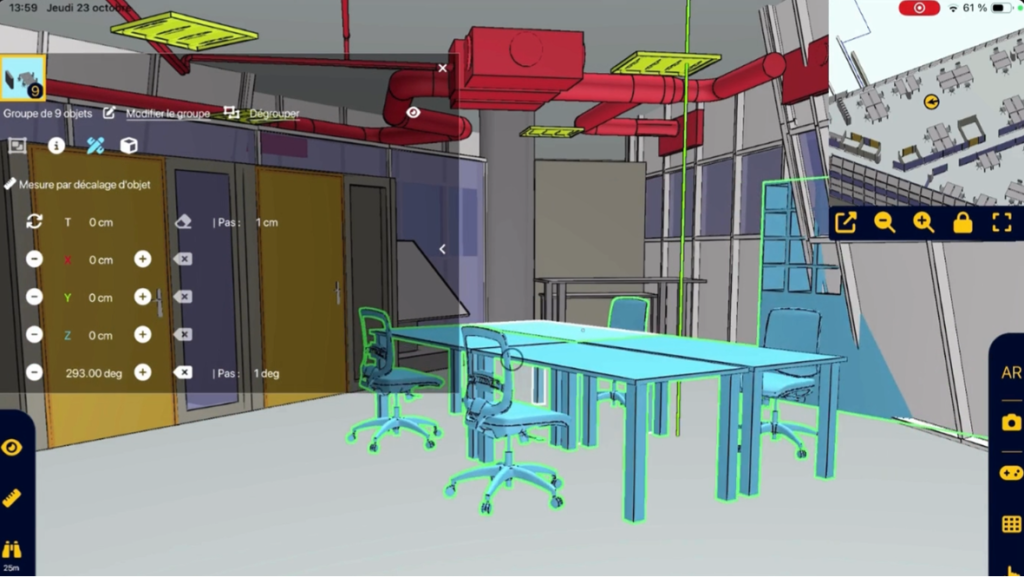
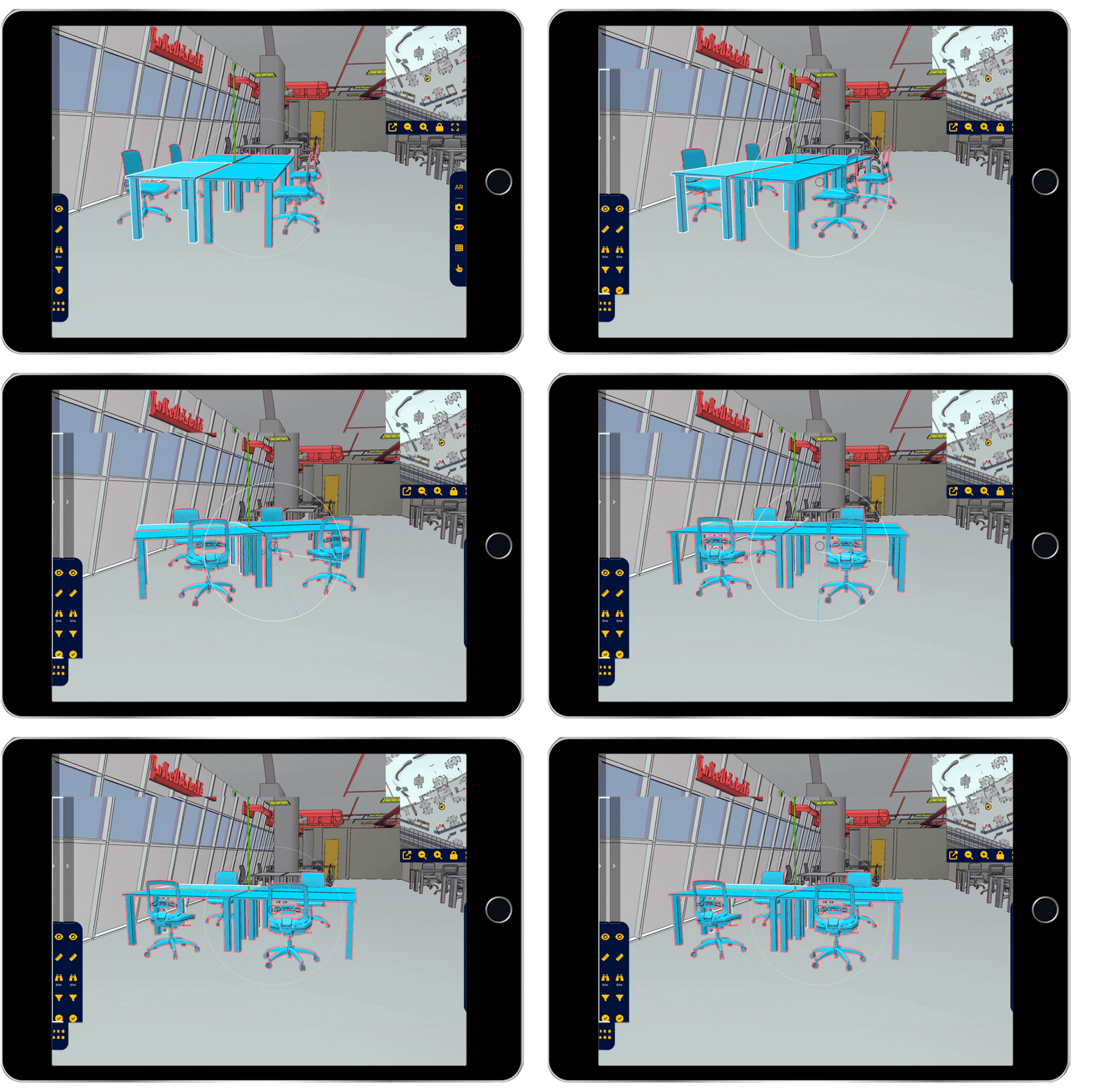
Projection onto empty space to validate layout intentions.

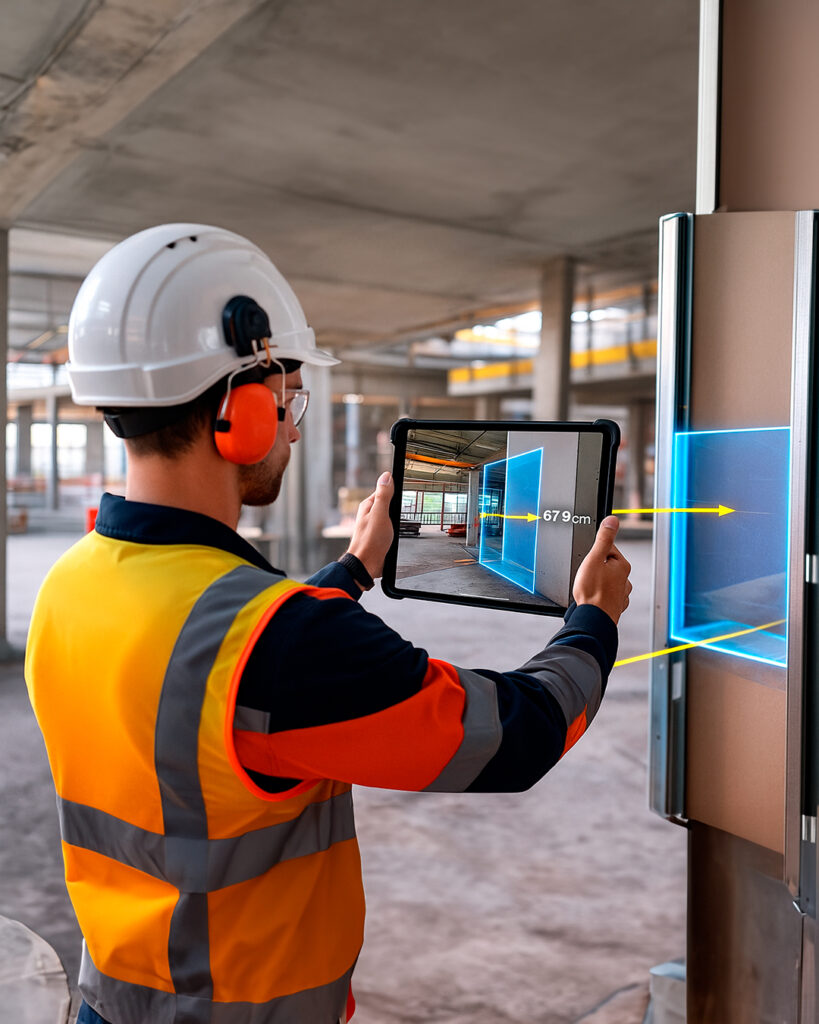
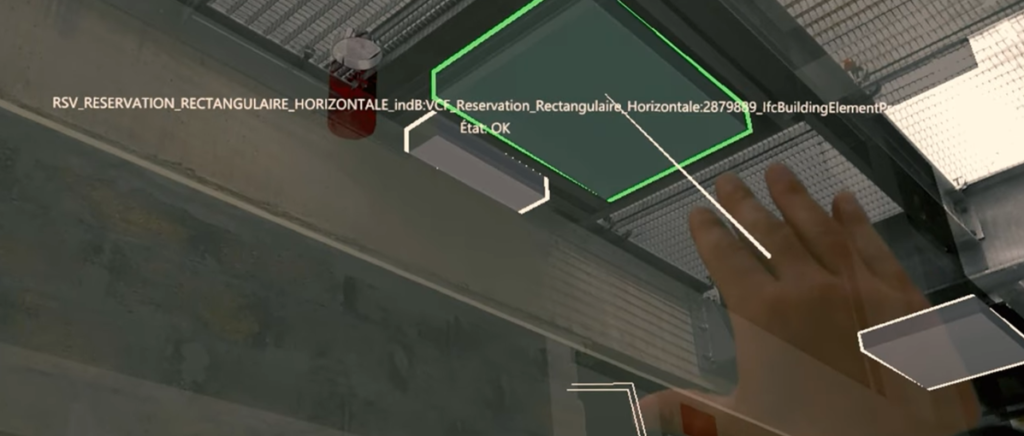
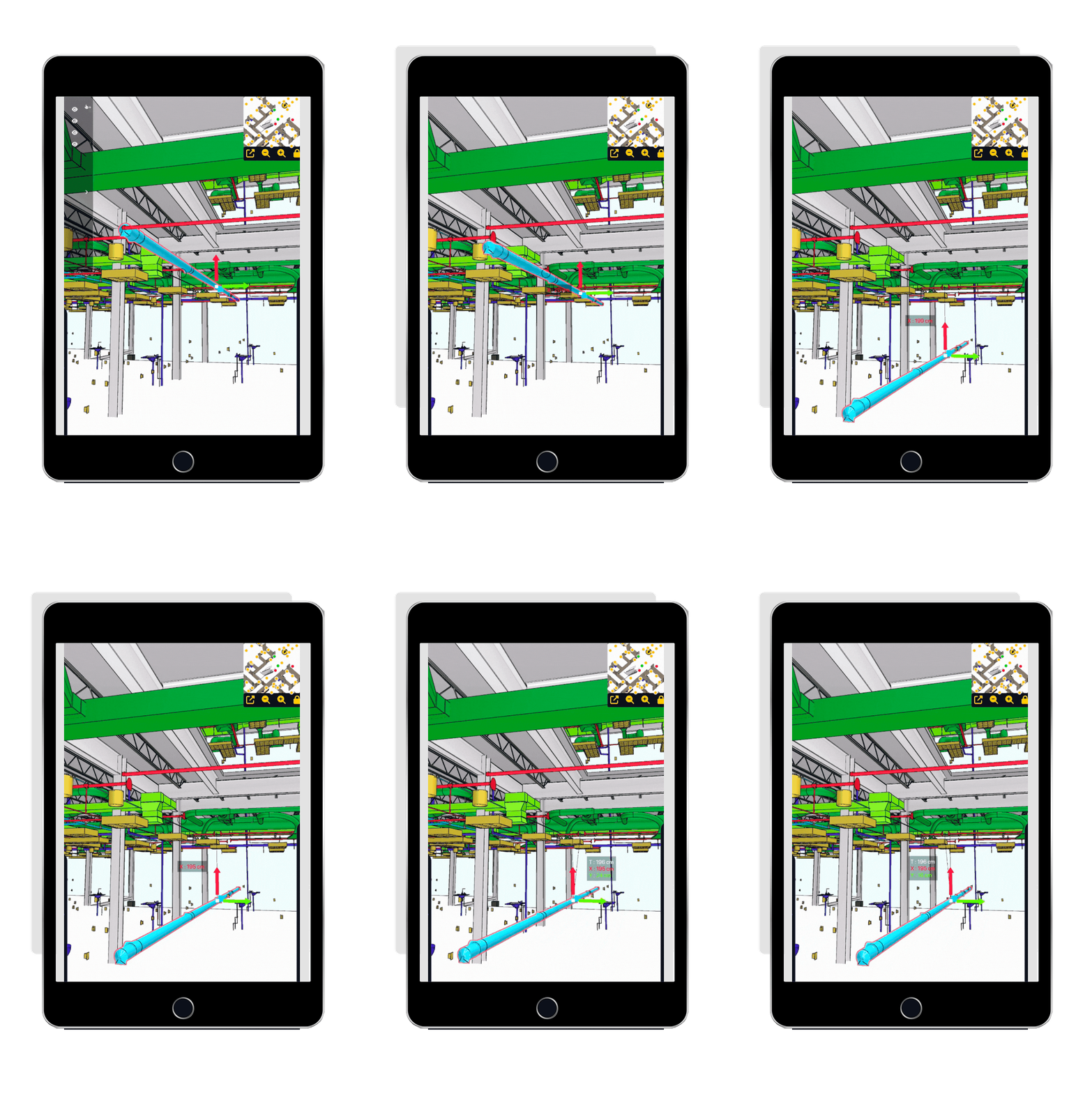
Quality control, element placement and error detection.

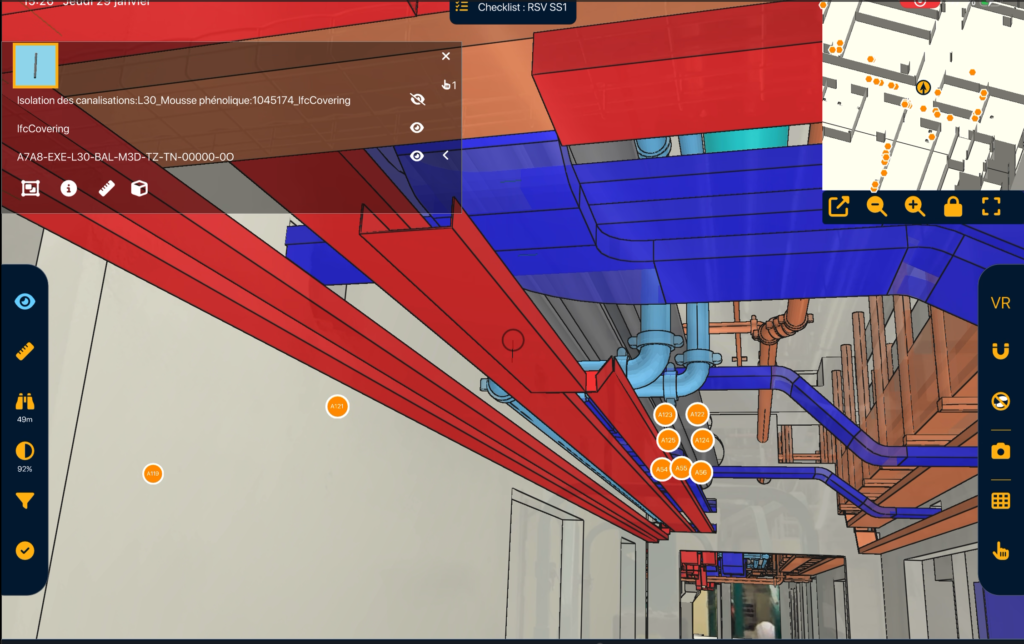
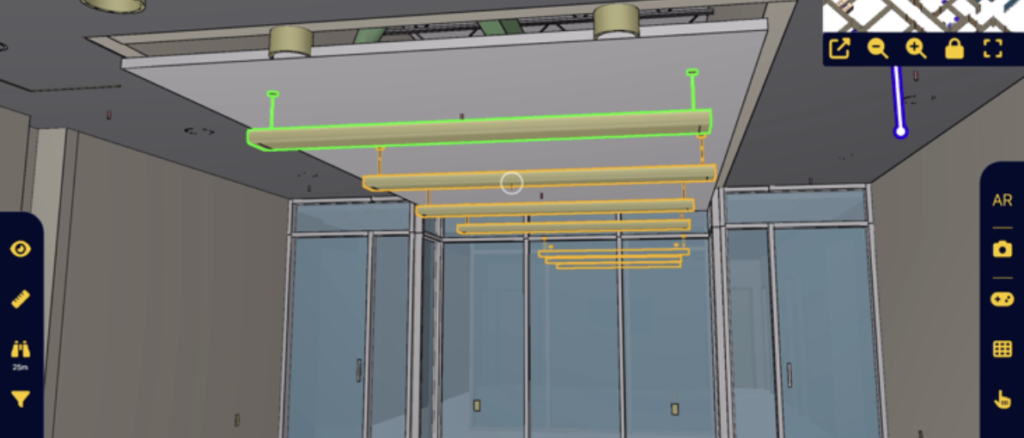
Network visualization through walls for fast and precise control.

NEXT-BIM enables smooth inspection in Augmented Reality, without complex preparation. Here are the key steps of the process:
NEXT-BIM technology automatically aligns the 3D model with the real environment, without markers or manual calibration. Alignment is continuous, and the overlay remains reliable and precise throughout the visit — even while moving around the site.
Step 2 — Visualize future installations
Future equipment and layouts are visualized directly on site, at full scale. Teams immediately project themselves into the final layout without interpreting drawings.
Step 3 — Validate and compare layouts
Positions are checked together with field teams: work zones, access routes, circulation and maintenance areas. Layouts can be adjusted in real time using the dynamic object movement tool. Decisions are documented through annotations directly linked to the model.
Step 4 — Export the validation report
Generate a validation report (Word, Excel or BCF formats) ready to be sent to manufacturing or execution teams.
NEXT-BIM features are designed to optimize industrial layout by enabling teams to visualize, move and adjust industrial equipment directly on site. With Augmented Reality, teams test their decisions in real conditions, anticipate collisions, access constraints and logistics requirements, and validate collectively before installation or ordering.
ANNOTATION TOOL Create your annotations in Augmented Reality easily. Thanks to the NEXT-BIM Augmented Reality solution, discrepancies become immediately visible, making it possible to create clear annotations without interpreting plans. Each annotation gathers photos, comments, measurements and technical data, directly linked to BIM objects. 1. Georeferenced annotations Annotations are attached to a BIM object or [...]
MODEL / REAL ALIGNMENT Overlay the BIM model onto reality, automatically and continuously. Instantly overlay your BIM models onto the real environment, at 1:1 scale in Augmented Reality, without markers or preparation. The BIM model superimposed onto reality becomes a field control tool to understand and anticipate construction, detect defects and secure execution in real [...]
VISIBILITY FILTERS Filter to instantly visualize what you need. Control faster. With NEXT-BIM visibility filters, dynamically display or hide objects by categories, phases, packages, systems or scenarios. Simplify model reading, instantly display what you need and reduce errors. 1. Timesavings Instantly display only what matters to you. 2. Improvedreadability Unnecessary objects are hidden, improving understanding. [...]
MEASUREMENT TOOLS Measure with precision. With NEXT-BIM, take measurements directly in Augmented Reality. Whether from real to real, real to virtual, or virtual to virtual, obtain reliable and usable dimensions without additional tools. 1. Multi-contextdimensioning Instantly take your measurements on site, in the model, or measure deviations between reality and the model. 2. Timesaving No [...]
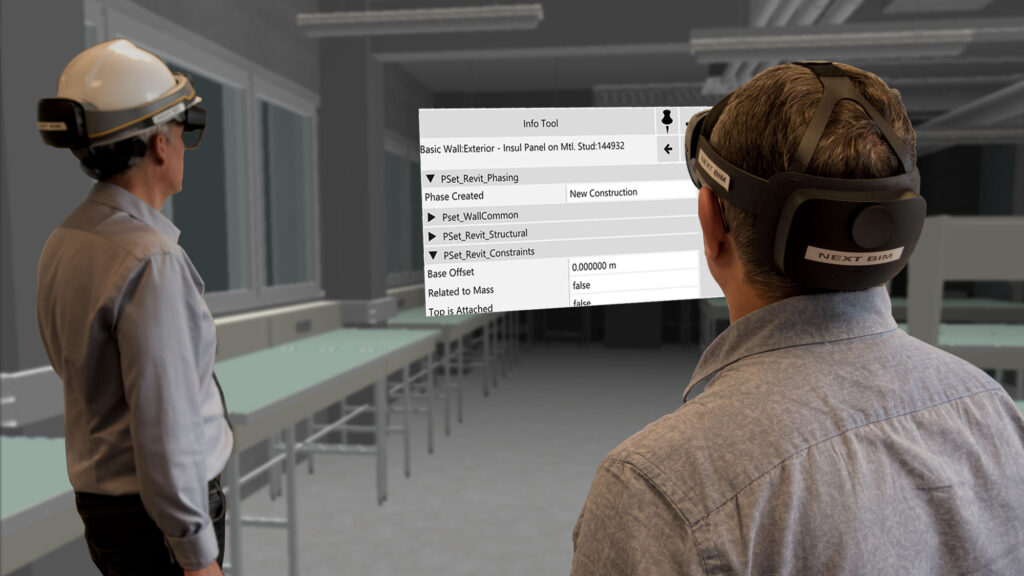
TECHNICAL INFORMATION TOOL Access the technical information linked to the 3D model Instantly consult all technical information from your BIM model (BIM properties, PDFs, etc.) directly on site. In one click, a clear and structured panel displays all available data. 1. Contextualized information Information is accessible directly on the related object. 2. Fewererrors Each decision [...]
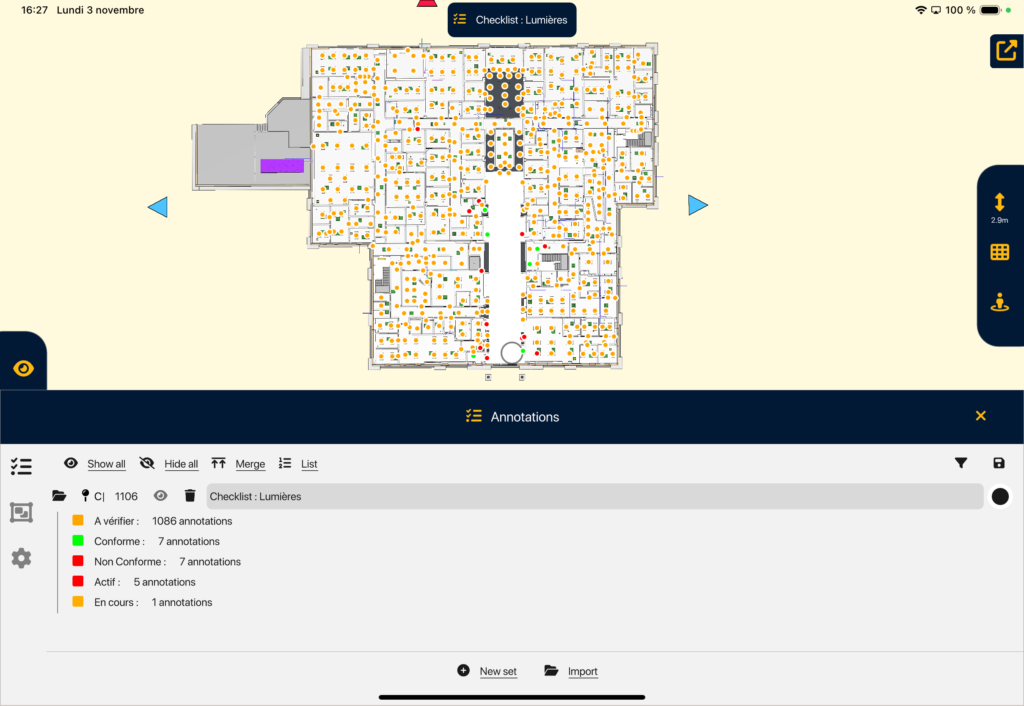
CHECKLISTS Inspect your objects in series in Augmented Reality. With NEXT-BIM checklists, quickly inspect lists of objects in Augmented Reality. A 3D guidance system leads you from object to object to check, validate or invalidate in one click. 1. Time saving Accelerate your inspections thanks to intelligent 3D guidance and validate the object in one [...]
PROGRESS TRACKING TOOL Manage the progress of your works directly from the BIM model. Track the real-time progress of your project directly in the NEXT-BIM application. Link your BIM elements to phases, statuses and measurable indicators to obtain a reliable, structured progress rate automatically calculated. 1. Better schedule management Progress tracking in Augmented Reality provides [...]
DYNAMIC OBJECT MOVEMENT Move 3D objects dynamically in Augmented Reality Move your BIM objects dynamically in AR to control volumes, measure differences between reality and the project, and organize your space directly on site. 1. Fast & reliable decision Validate on site the real feasibility of layouts, without interpreting drawings or assumptions. You instantly know [...]
Ylber GJOCAJ - CAD Operator / 3D CAD Designer
CIMO
As part of the prestigious Campus Pictet de Rochemont project in Geneva, HRS Real Estate chose to integrate the advanced NEXT-BIM solution to optimize project management and execution.
Yes, multiple layers can be displayed, hidden or superimposed as needed.
Yes, AR visualization works even in occupied environments.
Yes, all annotations and measurements can be exported for project follow-up or manufacturing.