CONSTRUCTION MONITORING

CONSTRUCTION MONITORING
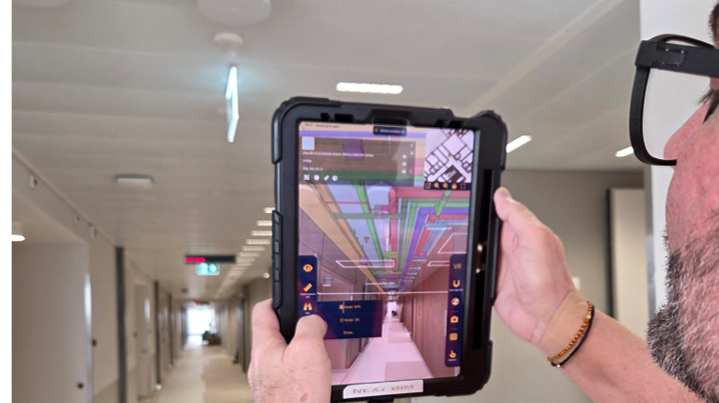
With the NEXT-BIM Augmented Reality solution, the BIM model superimposed onto reality becomes a field management tool to understand and anticipate works, detect defects and secure execution in real time.


Potential errors are detected before installation, not after. Fewer reworks, fewer late corrections, fewer hidden costs. Up to 50% savings on rework costs.
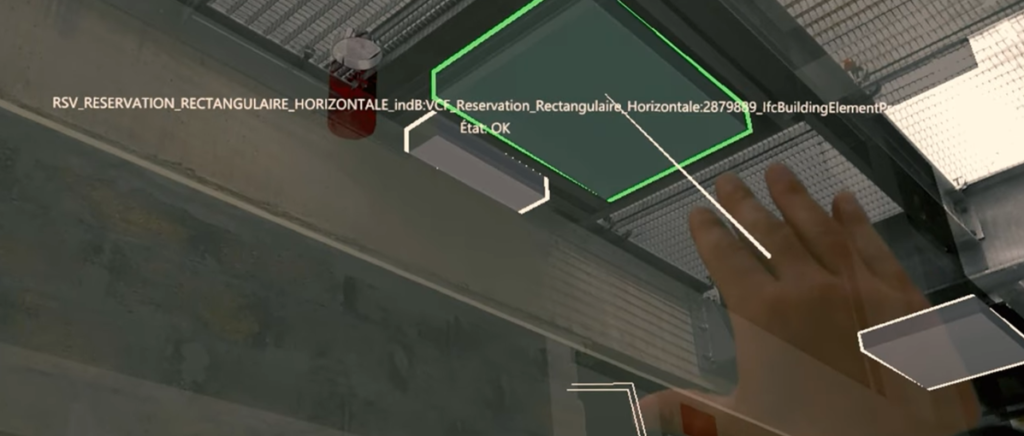
Defects, deviations and missing elements are immediately visible on site through the superposition of the model onto reality, without paper plans. Up to 90% time savings on inspection time.
Deviations are detected continuously, not at the end of the project. Quality control is performed progressively across all site areas. This results in a 40% to 60% improvement in quality.
Progress is controlled and corrections are immediate. Disputes are reduced. Teams make decisions directly on site using shared visual proof, without conflicting interpretations.
Execution is the phase where every error is costly:
rework, delays, tension between teams.
Execution tracking is only effective when information is understood immediately, at the right moment. On site, traditional plans and documents require interpretation, comparison and repeated back-and-forth between office ↔ site, which generates errors and time loss.
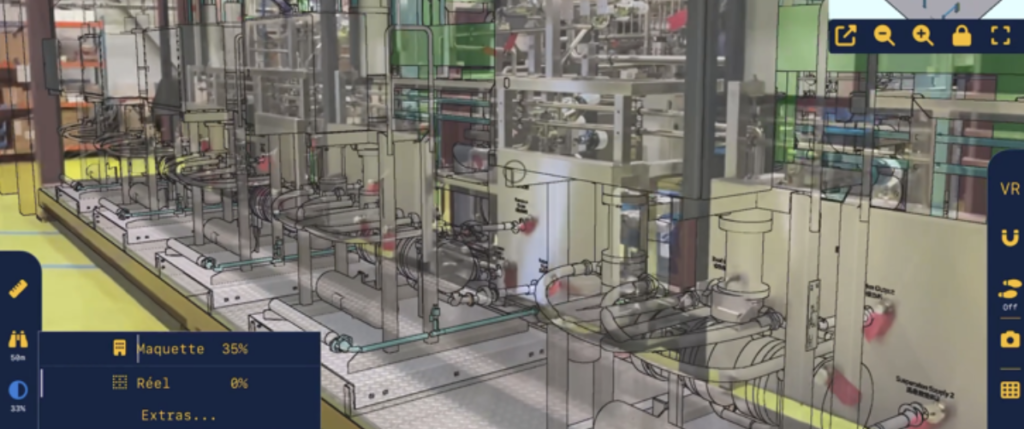
With NEXT-BIM, the BIM model is superimposed onto reality at 1:1 scale, directly on site.
Each stakeholder instantly sees what to install, where and how, eliminating ambiguities before execution.
NEXT-BIM enables :
Understanding before execution
Verifying compliance during installation
Detecting deviations continuously
Making technical decisions directly on site
Correcting before errors impact the schedule.
This real-time field workflow explains the reduction of rework, time savings during inspections, and better schedule control observed on projects.


Installation support and layout assistance, quality control.


NEXT-BIM enables smooth inspections in augmented reality, without complex preparation. Here are the key steps of the process:
Step 1 – Superimpose the 3D model onto reality
NEXT-BIM technology automatically aligns the 3D model with the real environment, without markers or manual calibration. Alignment is continuous. The superposition remains reliable and precise throughout the visit, even while moving on site.
Step 2 – Compare design vs execution
The user visually compares the BIM model with reality at 1:1 scale. Differences in openings, equipment, networks, clearances or heights become immediately visible, without interpreting drawings.
Step 3 – Annotate and measure on site
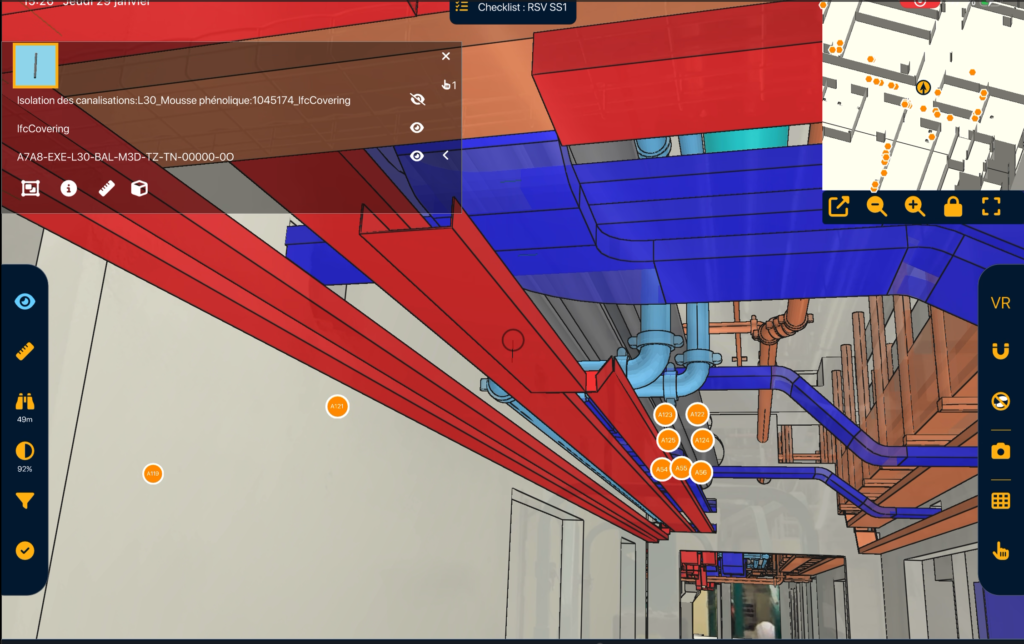
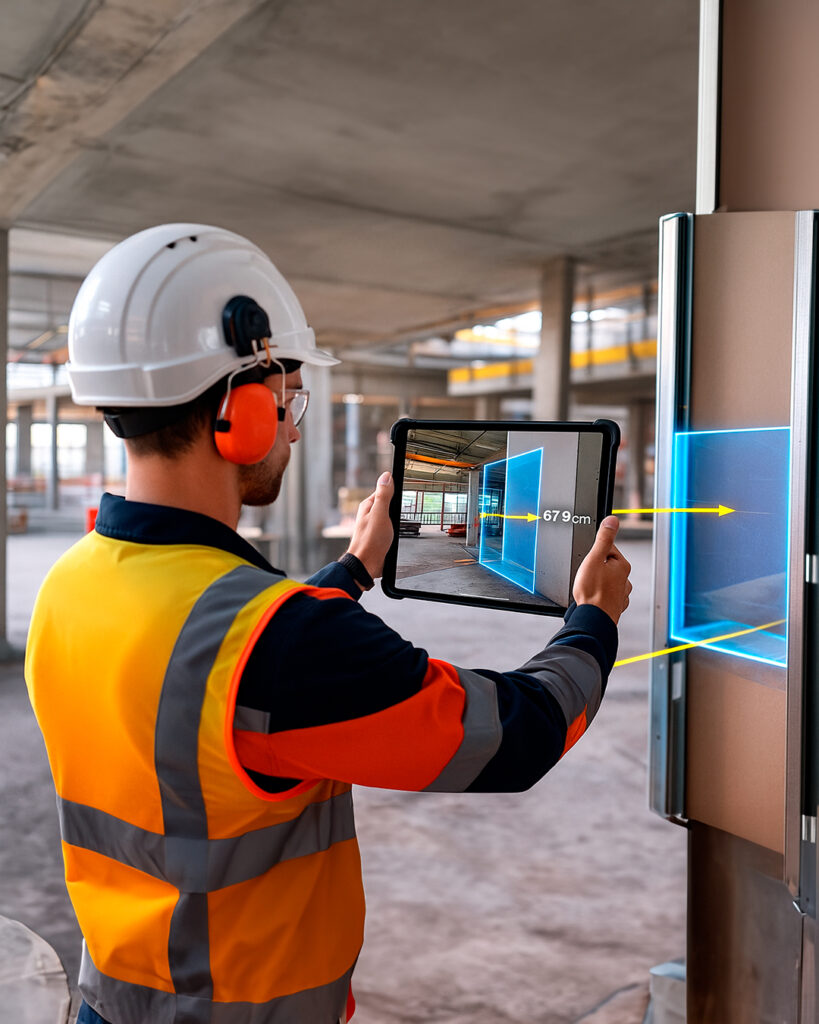
When a deviation is detected, an annotation is created immediately on site. Deviations are documented and georeferenced directly in the 3D model. Annotations include photos, comments, statuses and precise measurements of differences between model and reality.
Step 4 – Generate and share reports
Annotations are automatically exported into reports (BCF, Word, Excel). Deliverables are ready to be shared.
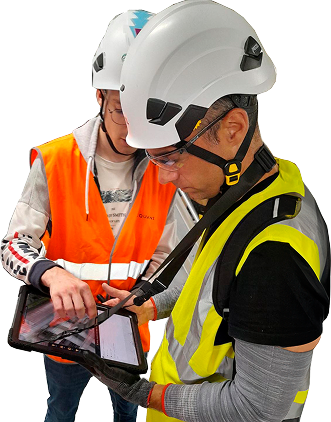
NEXT-BIM features are designed to manage execution throughout the project. On site, teams verify installed elements, measure deviations and record findings directly in the model as they appear. NEXT-BIM therefore provides visual, factual and interoperable execution tracking that reduces rework and secures project progress.
ANNOTATION TOOL Create your annotations in Augmented Reality easily. Thanks to the NEXT-BIM Augmented Reality solution, discrepancies become immediately visible, making it possible to create clear annotations without interpreting plans. Each annotation gathers photos, comments, measurements and technical data, directly linked to BIM objects. 1. Georeferenced annotations Annotations are attached to a BIM object or [...]
MODEL / REAL ALIGNMENT Overlay the BIM model onto reality, automatically and continuously. Instantly overlay your BIM models onto the real environment, at 1:1 scale in Augmented Reality, without markers or preparation. The BIM model superimposed onto reality becomes a field control tool to understand and anticipate construction, detect defects and secure execution in real [...]
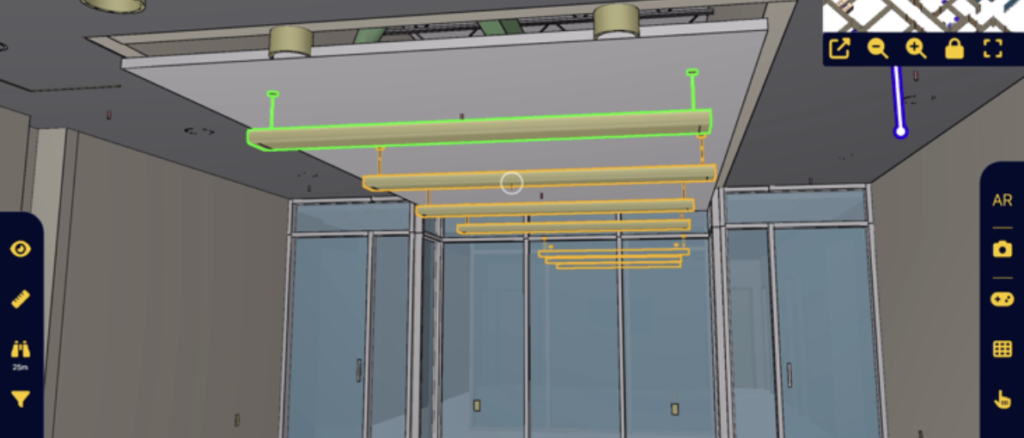
VISIBILITY FILTERS Filter to instantly visualize what you need. Control faster. With NEXT-BIM visibility filters, dynamically display or hide objects by categories, phases, packages, systems or scenarios. Simplify model reading, instantly display what you need and reduce errors. 1. Timesavings Instantly display only what matters to you. 2. Improvedreadability Unnecessary objects are hidden, improving understanding. [...]
MEASUREMENT TOOLS Measure with precision. With NEXT-BIM, take measurements directly in Augmented Reality. Whether from real to real, real to virtual, or virtual to virtual, obtain reliable and usable dimensions without additional tools. 1. Multi-contextdimensioning Instantly take your measurements on site, in the model, or measure deviations between reality and the model. 2. Timesaving No [...]
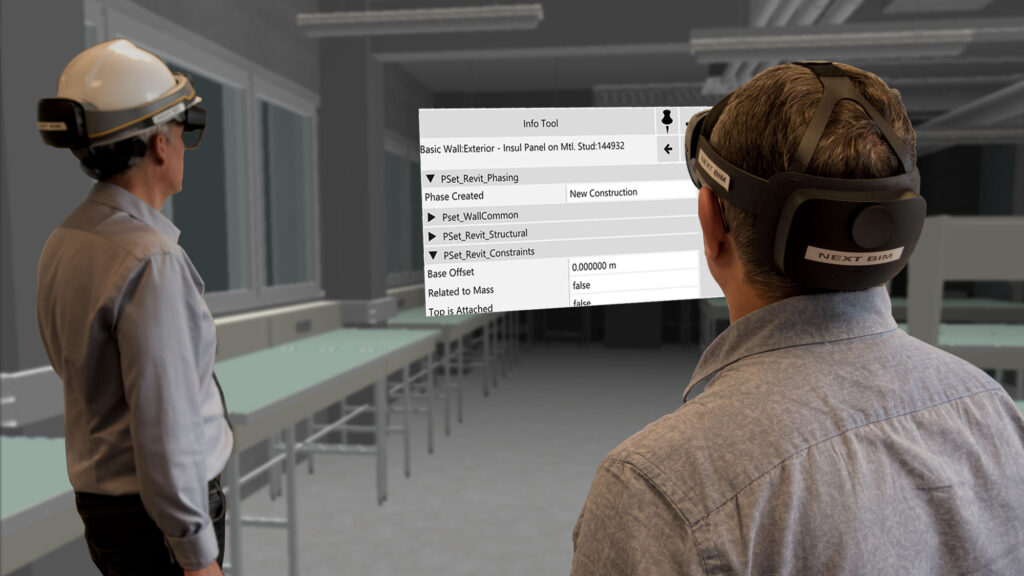
TECHNICAL INFORMATION TOOL Access the technical information linked to the 3D model Instantly consult all technical information from your BIM model (BIM properties, PDFs, etc.) directly on site. In one click, a clear and structured panel displays all available data. 1. Contextualized information Information is accessible directly on the related object. 2. Fewererrors Each decision [...]
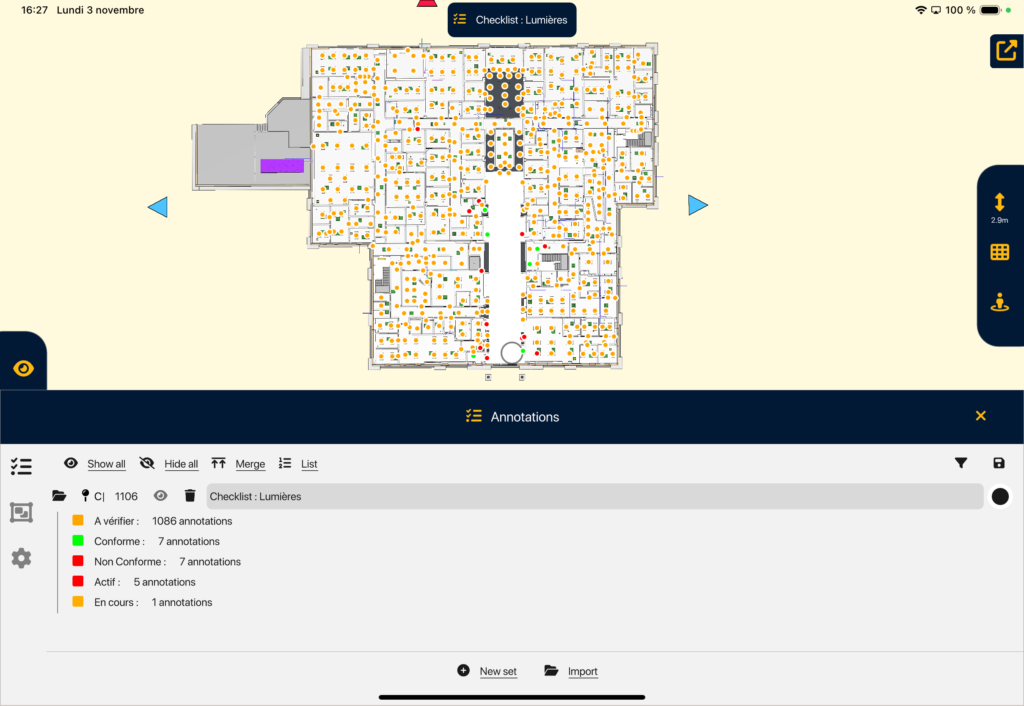
CHECKLISTS Inspect your objects in series in Augmented Reality. With NEXT-BIM checklists, quickly inspect lists of objects in Augmented Reality. A 3D guidance system leads you from object to object to check, validate or invalidate in one click. 1. Time saving Accelerate your inspections thanks to intelligent 3D guidance and validate the object in one [...]
PROGRESS TRACKING TOOL Manage the progress of your works directly from the BIM model. Track the real-time progress of your project directly in the NEXT-BIM application. Link your BIM elements to phases, statuses and measurable indicators to obtain a reliable, structured progress rate automatically calculated. 1. Better schedule management Progress tracking in Augmented Reality provides [...]
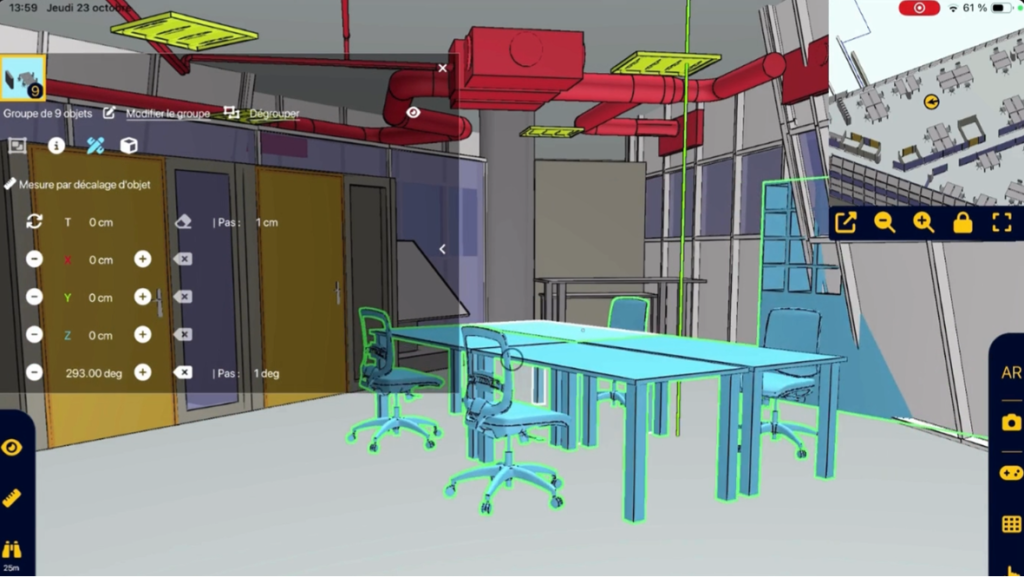
DYNAMIC OBJECT MOVEMENT Move 3D objects dynamically in Augmented Reality Move your BIM objects dynamically in AR to control volumes, measure differences between reality and the project, and organize your space directly on site. 1. Fast & reliable decision Validate on site the real feasibility of layouts, without interpreting drawings or assumptions. You instantly know [...]
BIM Manager
Construction Perret SA
As part of the prestigious Campus Pictet de Rochemont project in Geneva, HRS Real Estate chose to integrate the advanced NEXT-BIM solution to optimize project management and execution.
Yes, the interface is simple and intuitive, designed for field teams.
Yes, NEXT-BIM allows direct comparison between design and reality and enables deviation annotations.
Yes, the application works in offline mode, which is practical on construction sites.