
HoloLens 2 ®
An immersive and collaborative
Mixed Reality solution.
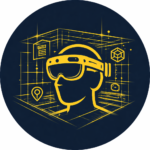
HoloLens 2® version
Experience full immersion to understand, control, install, and make decisions directly on site. A hands-free, fully immersive experience for your projects. Unlock the full potential of your BIM models with NEXT-BIM on HoloLens 2.

Discover our
solution in video!
Why choose NEXT-BIM on HoloLens 2?
1:1 immersive experience
With the HoloLens 2 headset, step inside your BIM models at full scale—on site or off site—while keeping your hands free for better project understanding.

Works anywhere, even offline
Use it without internet connection, including underground or in constrained environments.

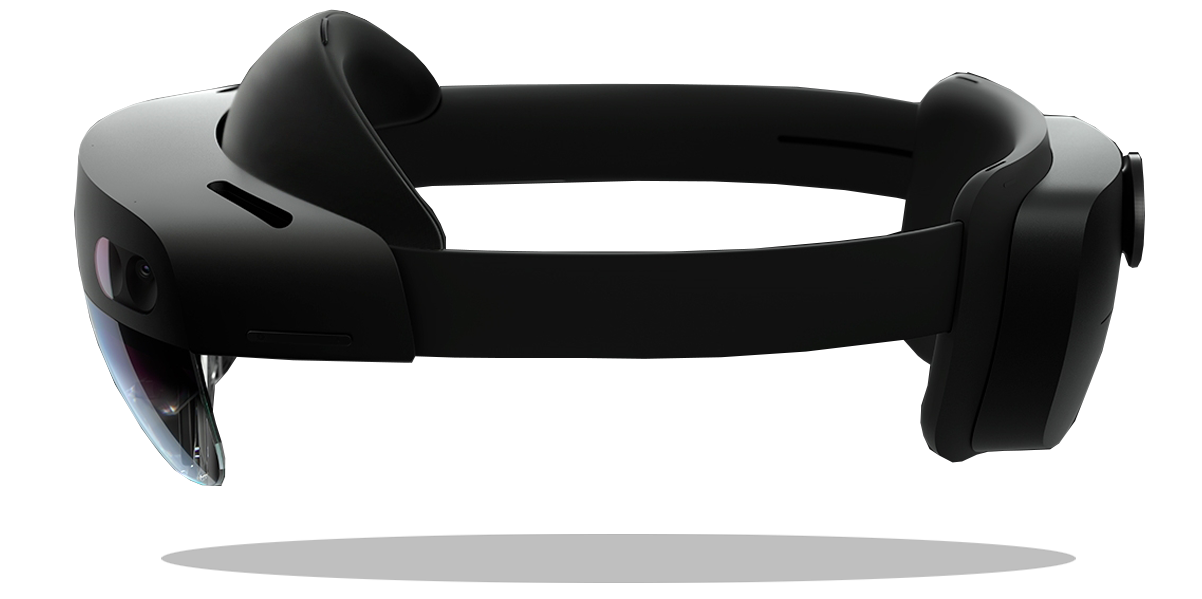
Automatic and continuous alignment
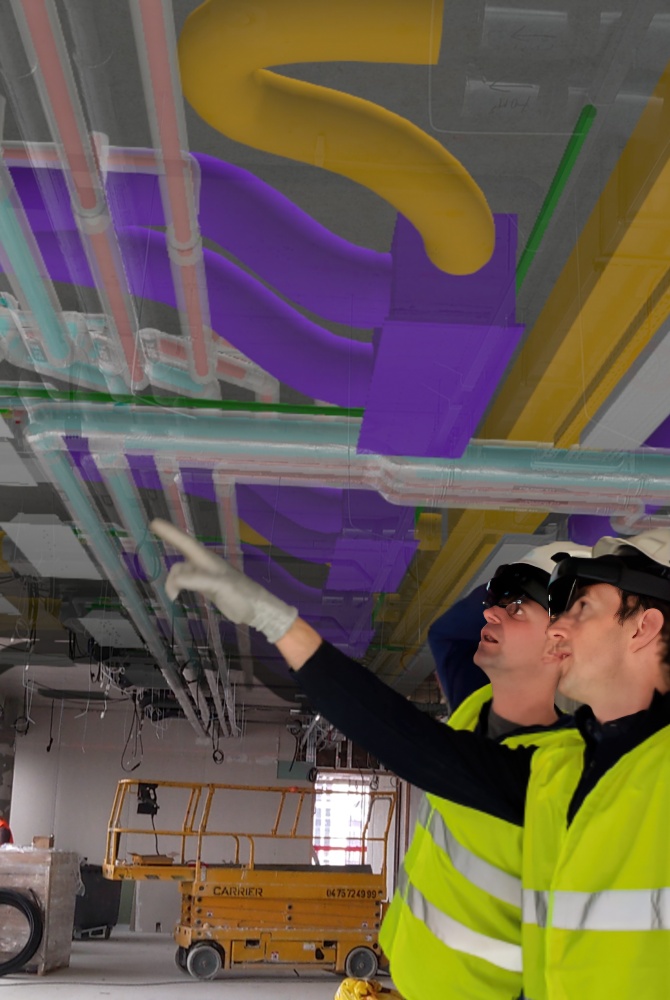
Precisely overlay the 3D model onto reality—no markers, no site preparation.

Handles very large BIM models
Smooth navigation through multi-GB models thanks to NEXT-BIM’s proprietary 3D engine.

Interoperability & OpenBIM
Export to Word, Excel, and BCF + BCF import
Seamlessly integrate with your existing tools.

Immersive collaboration
In the office or on site, stakeholders can collaborate simultaneously inside the BIM model, making it easier to understand and analyze key project elements.
1:1 immersive experience
With the HoloLens 2 headset, step inside your BIM models at full scale—on site or off site—while keeping your hands free for better project understanding.
Works anywhere, even offline
Use it without internet connection, including underground or in constrained environments.
Automatic and continuous alignment
Precisely overlay the 3D model onto reality—no markers, no site preparation.
Handles very large BIM models
Smooth navigation through multi-GB models thanks to NEXT-BIM’s proprietary 3D engine.
Interoperability & OpenBIM
Export to Word, Excel, and BCF + BCF import
Seamlessly integrate with your existing tools.
Immersive collaboration
In the office or on site, stakeholders can collaborate simultaneously inside the BIM model, making it easier to understand and analyze key project elements.
Why HoloLens 2?
Mixed Reality designed for the field.
Built for the most demanding environments, HoloLens 2 delivers a unique immersive experience that transforms how teams work on site.
-
High-performance hardware
Capable of displaying and manipulating multi-gigabyte BIM models without compromising fluidity. -
See-through display for maximum safety
Augmented Reality overlays the real world without blocking it, allowing users to stay aware of risks and movements on site. -
Hands-free comfort
Inspections and checks are performed without tablets or interruptions, reducing fatigue and improving focus. -
Designed for construction sites
Compatible with safety helmets and adaptable to different working environments, HoloLens 2 naturally fits field constraints.
Design phase
Project onto an empty site to validate layout intentions

Construction phase
Quality control, installation, error detection

Maintenance phase
Visualize hidden networks through walls for fast and accurate checks


Real-world,
proven use cases
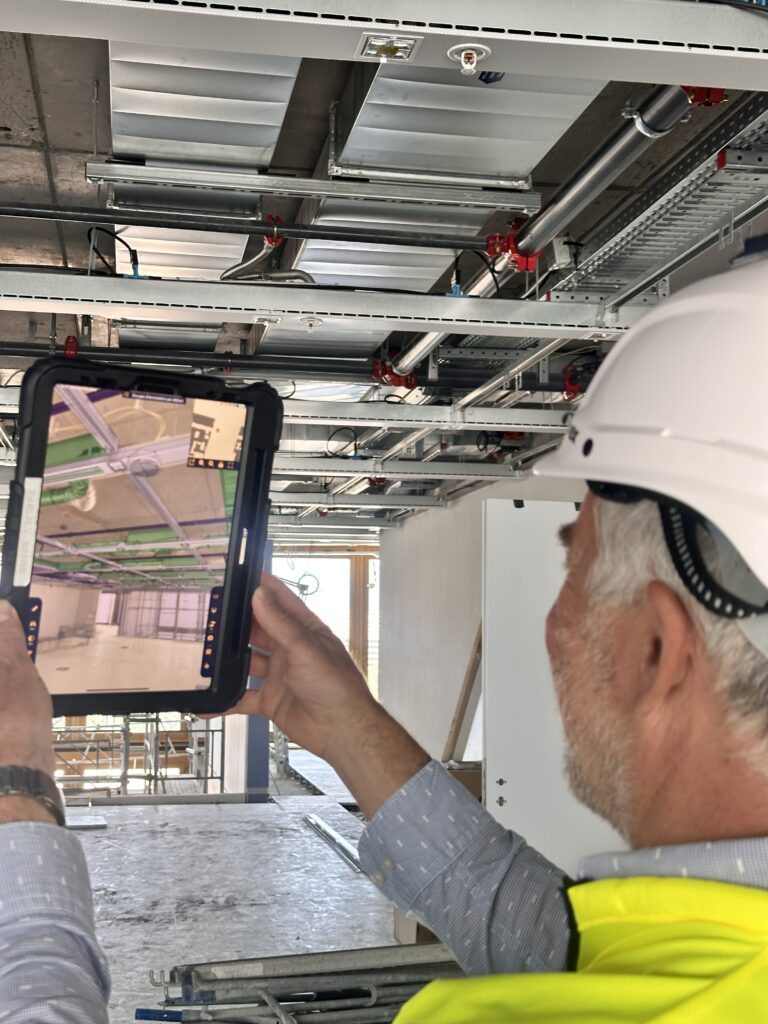
PROGRESS TRACKING
PROGRESS TRACKING Monitor site progress in real time, directly on site With the NEXT-BIM Augmented Reality solution, overlay the 3D model onto reality and instantly identify what has been built and what remains to be done. Move from declared progress to verified progress. 1. Quantified progress Each installed element is identified in the model, by [...]
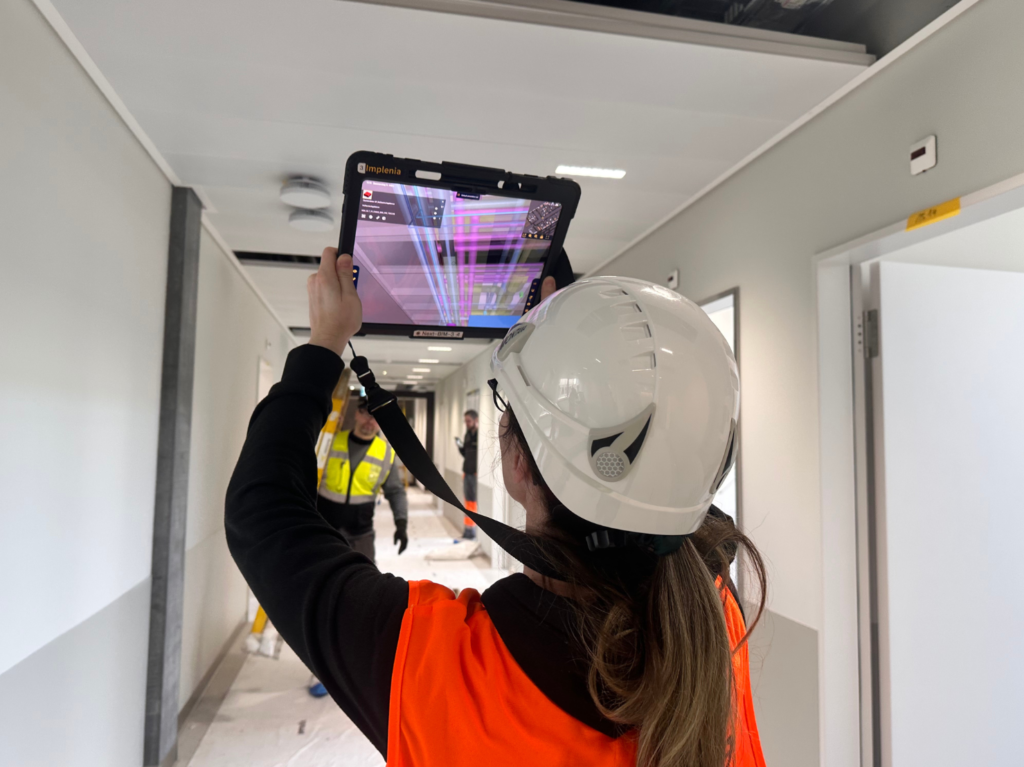
PREVENTIVE AND CORRECTIVE MAINTENANCE
PREVENTIVE AND CORRECTIVE MAINTENANCE Intervene faster with the right data. With the NEXT-BIM Augmented Reality solution, overlay the 3D model onto reality. Instantly locate your equipment, access its technical data and follow a guided route. 1. See through walls Thanks to the overlay of the BIM model onto reality, instantly locate your equipment and networks [...]
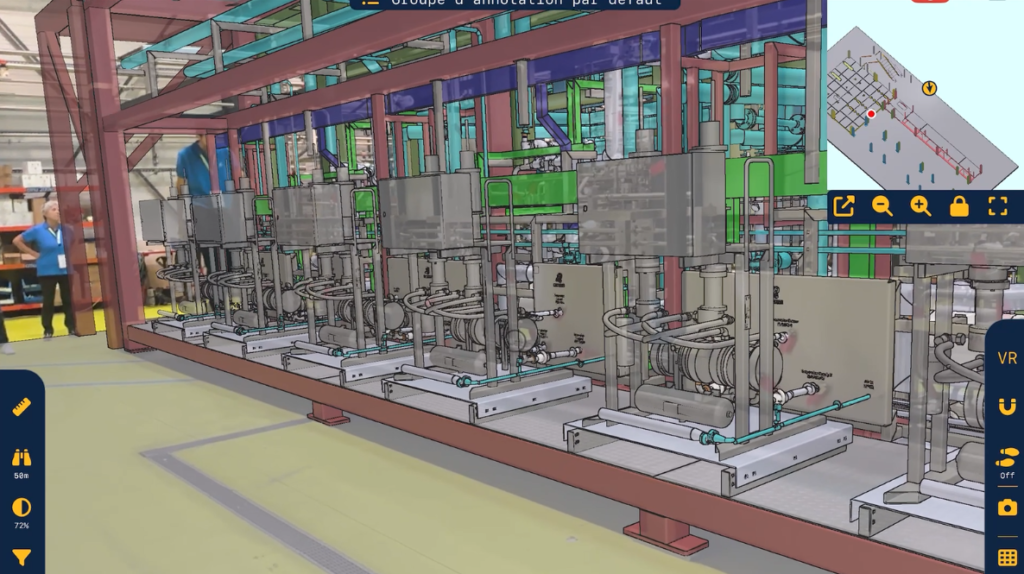
INDUSTRIAL LAYOUT
INDUSTRIAL LAYOUT Visualize your industrial equipment before it is fixed — in Augmented Reality With the NEXT-BIM Augmented Reality solution, visualize your future industrial layout at 1:1 scale in the real environment. Anticipate constraints, validate positions and secure costs. 1. Time savings Thanks to Augmented Reality, layout decisions are validated directly in real conditions, with [...]
Thibaut ISAMBERT, BIM Manager
― VINCI Construction
“With NEXT-BIM, my reservation checks have become incredibly efficient. I can verify an average of 1,500 m² per hour and between 250 and 500 technical openings per hour. I can control all technical reservations without interpreting 2D plans on site. The time savings are significant, and the accuracy is unmatched.”
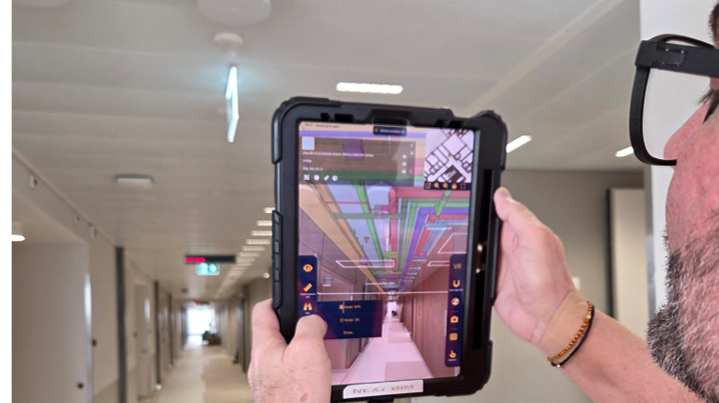
Kantonsspital Aarau : How Digital Continuity Connects Construction, As-Built BIM and Maintenance
As part of the prestigious Campus Pictet de Rochemont project in Geneva, HRS Real Estate chose to integrate the advanced NEXT-BIM solution to optimize project management and execution.
Key features
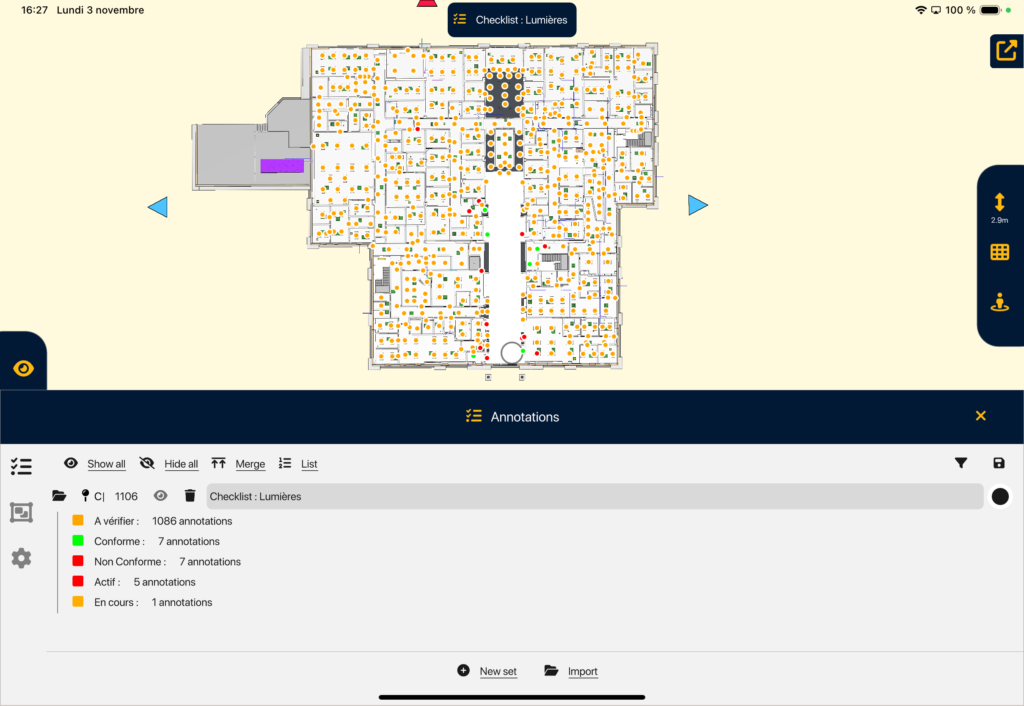
ANNOTATION TOOL
ANNOTATION TOOL Create your annotations in Augmented Reality easily. Thanks to the NEXT-BIM Augmented Reality solution, discrepancies become immediately visible, making it possible to create clear annotations without interpreting plans. Each annotation gathers photos, comments, measurements and technical data, directly linked to BIM objects. 1. Georeferenced annotations Annotations are attached to a BIM object or [...]
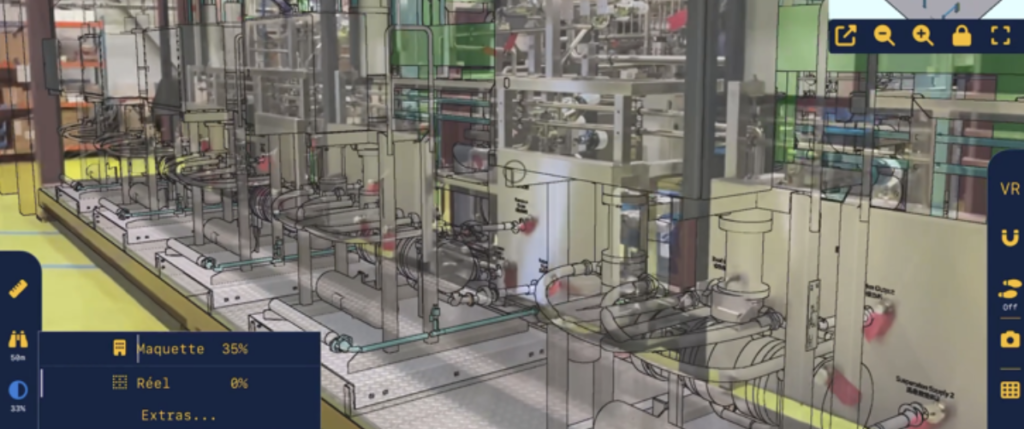
MODEL / REAL ALIGNMENT
MODEL / REAL ALIGNMENT Overlay the BIM model onto reality, automatically and continuously. Instantly overlay your BIM models onto the real environment, at 1:1 scale in Augmented Reality, without markers or preparation. The BIM model superimposed onto reality becomes a field control tool to understand and anticipate construction, detect defects and secure execution in real [...]
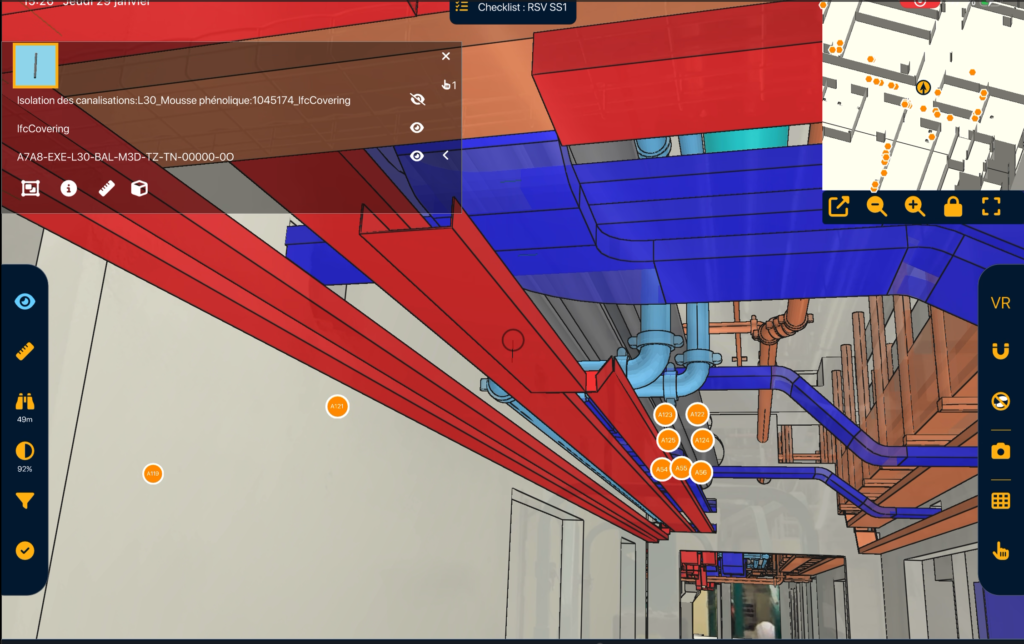
VISIBILITY FILTERS
VISIBILITY FILTERS Filter to instantly visualize what you need. Control faster. With NEXT-BIM visibility filters, dynamically display or hide objects by categories, phases, packages, systems or scenarios. Simplify model reading, instantly display what you need and reduce errors. 1. Timesavings Instantly display only what matters to you. 2. Improvedreadability Unnecessary objects are hidden, improving understanding. [...]
- Prepare
- On Site
- Report
Prepare your model
in just a few clicks
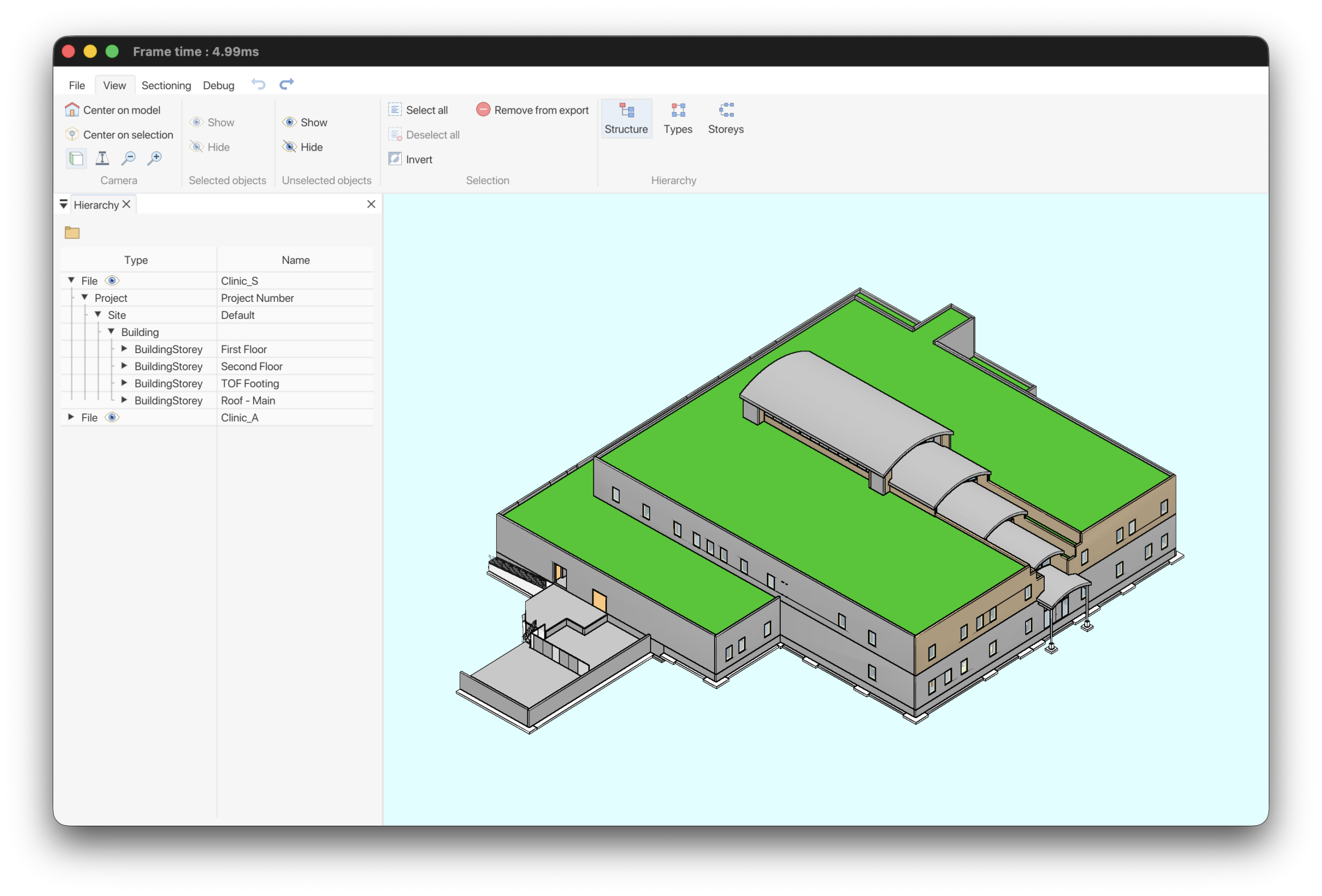
In the office, prepare your model once for efficient use. With NEXT-BIM Configurator (PC), users can independently convert IFC or NWD files into the proprietary NEXT-BIM format. Reusable templates eliminate the need to reconfigure models for updates or new projects.
- Automatic conversion
- Reusable templates
- Custom configuration (Colors, filters, checklists, progress tracking…. )

Time-saving
Reusable templates across all projects.

Custom setup
Adapted to each trade.
Field-ready
No setup required on site.
Session de
Réalité Augmentée sur site
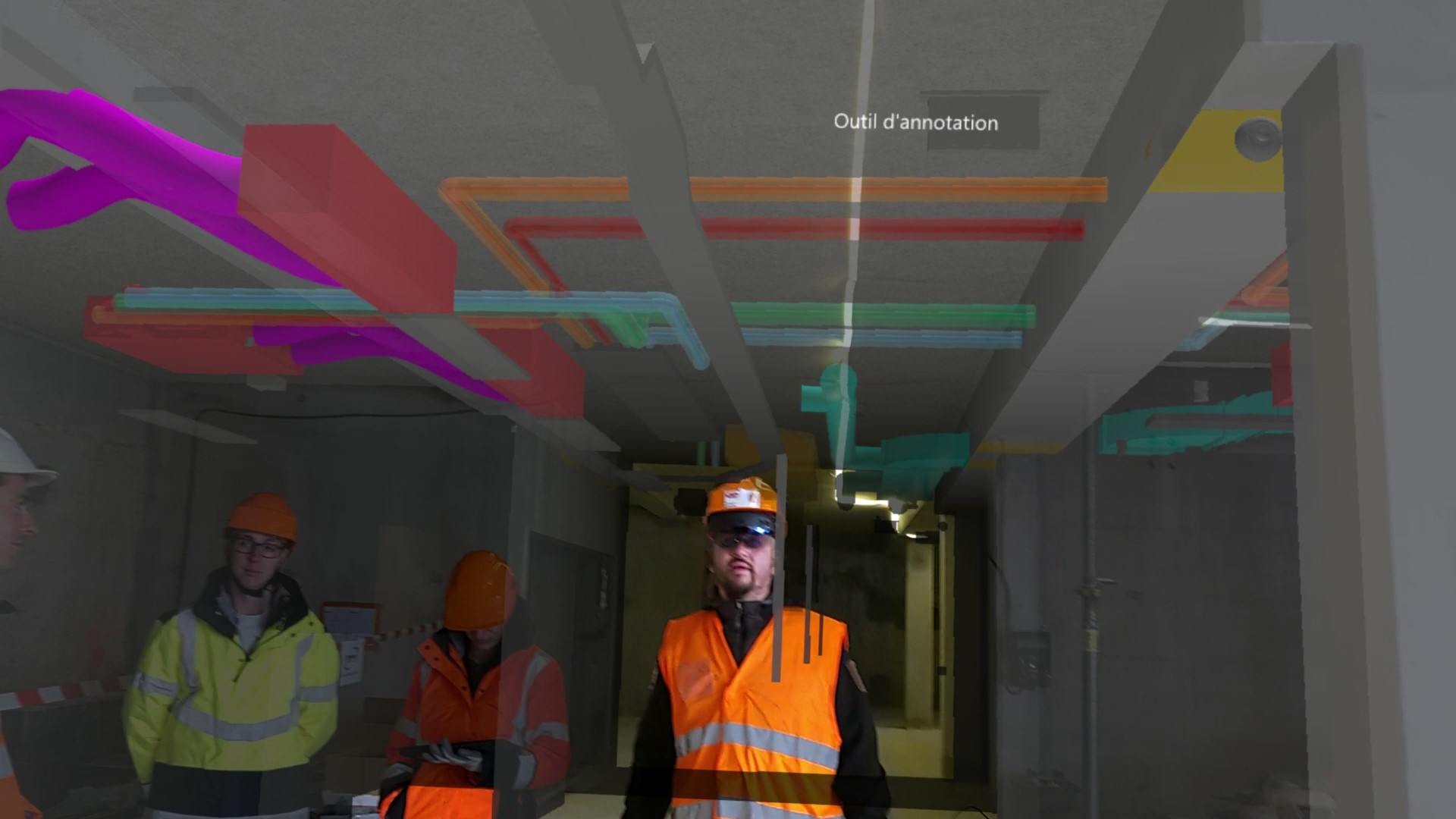
The NEXT-BIM Explorer application enables the overlay of the 3D model onto the real environment. Users can create Augmented Reality annotations to capture and report observations during their session.
- Automatic & continuous alignment: precise and stable positioning of the model within the real environment
- Geolocated annotations: comments linked to BIM objects, including photos and data
- Field tools: measurements, checklists, progress tracking
- Offline mode: no internet connection required on site

Moins d’erreurs
Contrôle visuel immédiat + infos techniques au bon endroit.
Simplicité
Prise en main immédiate et compréhension de la maquette 3D pour tous les profils.

Qualité
Amélioration de la qualité du travail avec des éléments intégrés correctement dès le premier coup
Session de
Réalité Augmentée sur site
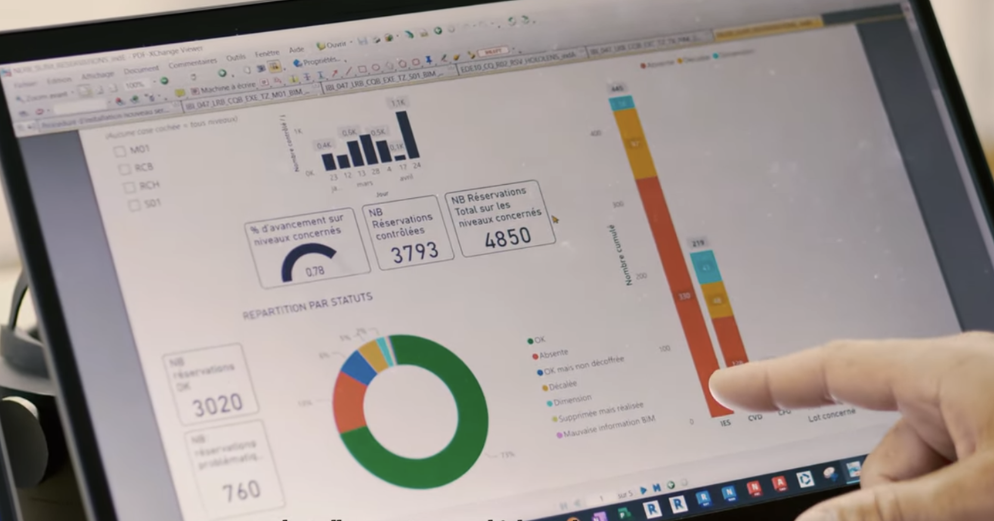
At the end of the session, export your data in the formats expected by your BIM teams and collaborative tools.
All NEXT-BIM data can be exported in .BCF (2.1, 3.0), .XLSX + JPG, or Word formats. Annotations can be reopened in all BIM collaborative platforms and are georeferenced within the 3D model, including all associated data (photos, status, title, comments, technical information, measurements, etc.).
- Standard exports: BCF 2.1/3.0, XLSX, Word
- Enriched data: site photos, AR photos, status, title, comments, technical information, measurements
- BIM interoperability: compatible with collaborative platforms and OpenBIM workflows
Time-saving
Templates reusable across all projects.
Custom setup
Adapted to each trade.
Field-ready
No setup required on site.