Variant comparison, layout planning, APS/APD design reviews
VISIBILITY FILTERS

VISIBILITY FILTERS
With NEXT-BIM visibility filters, dynamically display or hide objects by categories, phases, packages, systems or scenarios. Simplify model reading, instantly display what you need and reduce errors.


Instantly display only what matters to you.
Unnecessary objects are hidden, improving understanding.
Visualize variants in one click for faster decision-making.
Configure a display adapted to your project presentations.
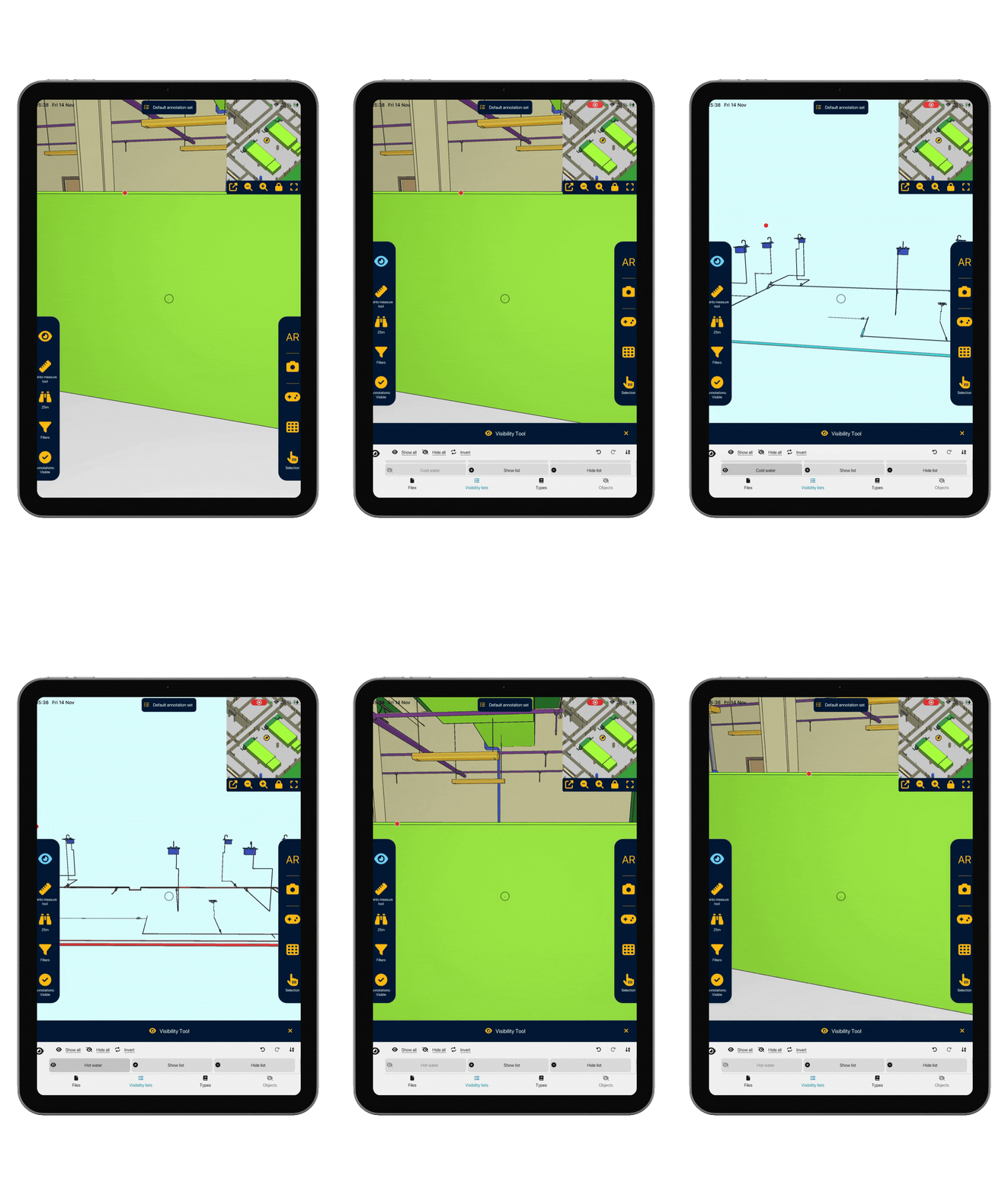
On site, BIM model readability is crucial to analyze efficiently and make quick decisions.
NEXT-BIM visibility filters allow you to dynamically display or hide 3D objects according to their phase, package, system, or any other customizable filters.
This way, only the relevant elements remain visible on screen for your task.
More clarity, fewer visual interferences, faster decisions.



NEXT-BIM allows you to create visibility filters without complex preparation.

Yes, you can combine as many filters as needed. You can filter using all model properties (system, ID, statuses, phases…), floors, names, IFC categories, files, etc.
Yes, the entire application works offline.