ANNOTATION TOOL
ANNOTATION TOOL
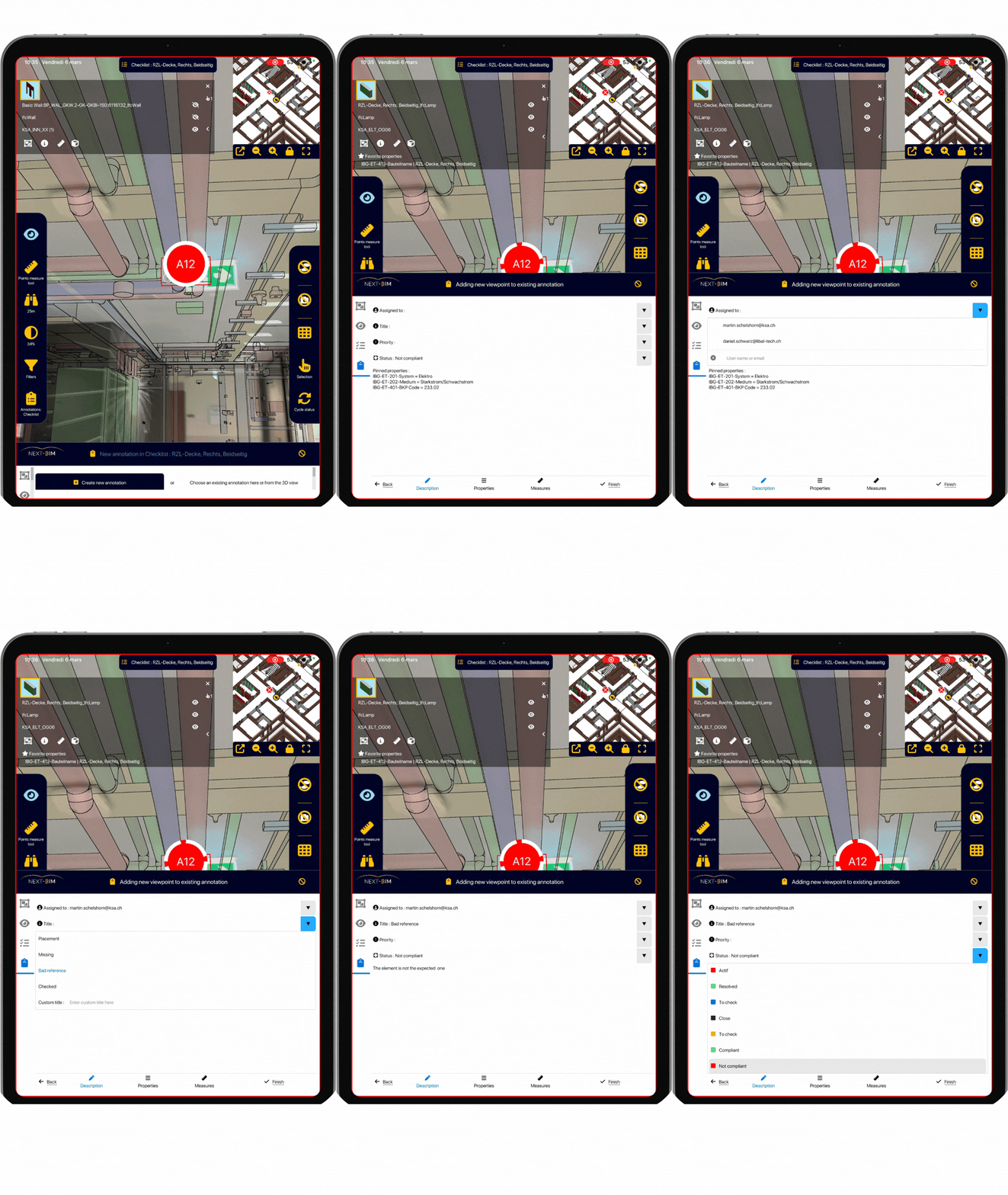
Thanks to the NEXT-BIM Augmented Reality solution, discrepancies become immediately visible, making it possible to create clear annotations without interpreting plans. Each annotation gathers photos, comments, measurements and technical data, directly linked to BIM objects.


Annotations are attached to a BIM object or to a viewpoint within the 3D model.
Annotations include the real photo, the AR photo, a status, comments and measurements.
Statuses make it possible to ensure rigorous tracking and management.
Annotations can be exported in BCF, or into a Word or Excel report.
On site, discrepancies between the model and reality are often difficult to explain. Isolated photos, 2D plans and written reports leave room for interpretation and misunderstandings.
With the NEXT-BIM solution, Augmented Reality fully plays its role: making visible the differences between what is planned and what is actually built.
Annotations are not just simple notes, but real viewpoints of the model superimposed onto reality, exactly where the discrepancy appears.
Each annotation allows you to:
Clearly visualize the discrepancy between the model and the site
Capture an AR view (model over reality), a model-only view and a real photo
Add comments, measurements and technical information
Define a status (to correct, in progress, validated)
Attach the observation to the related BIM object
All annotations are directly integrated into the 3D model.
With one click, they can be exported into BCF for BIM workflows, or into Word / Excel for documentation that is immediately understandable by everyone.
BCF files from coordination tools can also be imported into NEXT-BIM to verify discussion points directly on site.
An undeniable visual proof, immediately understood by all stakeholders, which accelerates decision-making.




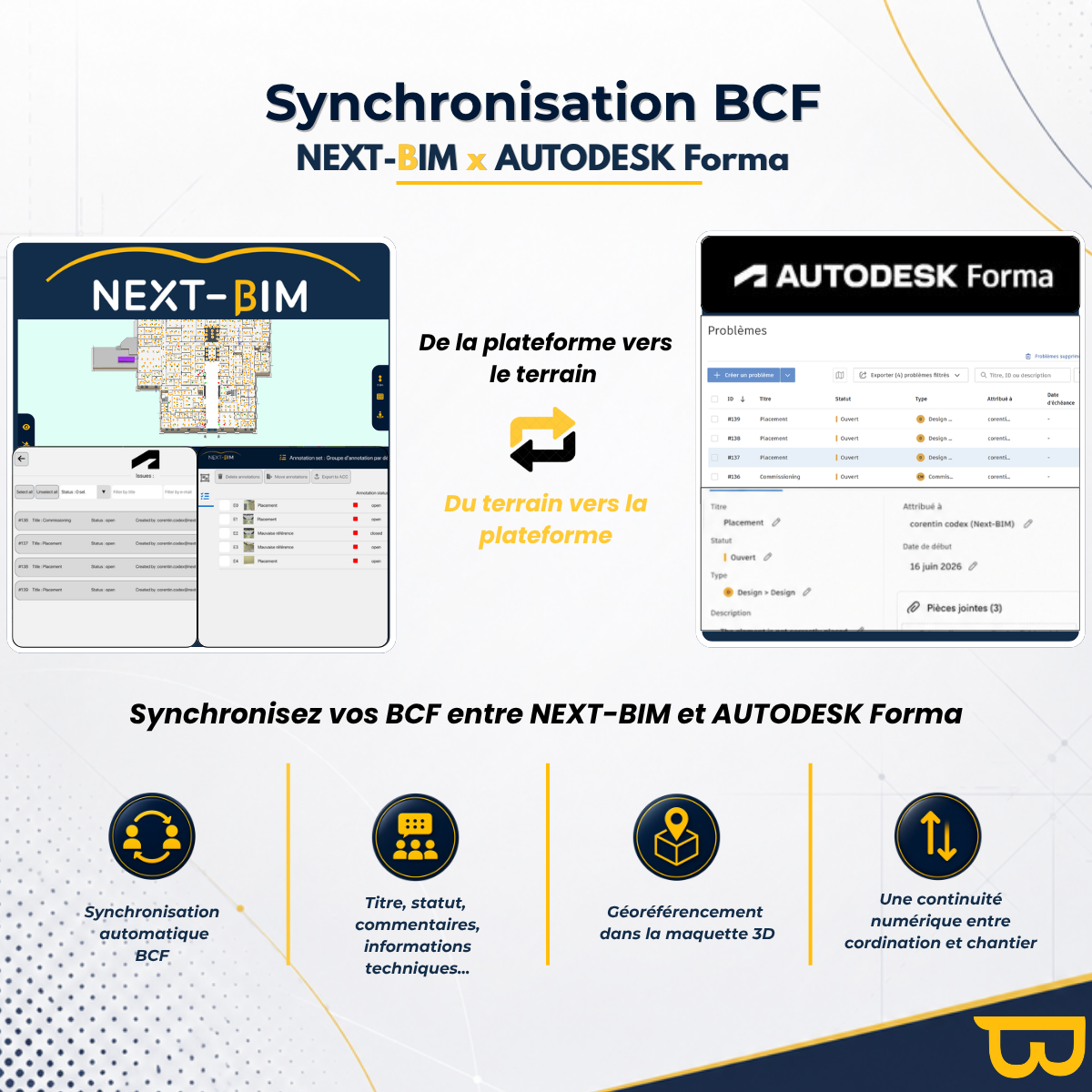
With NEXT-BIM, annotations created on-site aren’t confined to the app. They can be exported, shared, or synchronized with your coordination tools and collaborative platforms using BIM standards and API connectors developed by NEXT-BIM.
Each annotation can include a photo of the actual site, an augmented reality view, a comment, a status, measurements, and information about the relevant BIM object. This data becomes actionable for project teams, without the need for re-entry and without losing context.
Seamless continuity between the field and project tools
From the field to the platform
Observations made with NEXT-BIM can be transmitted as BCF reports, Word/Excel reports, or synchronized with compatible platforms.
From the platform to the field
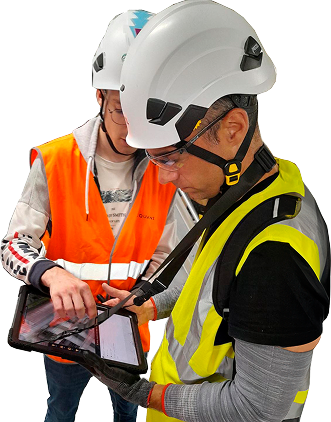
Coordination points or items requiring verification can be imported into NEXT-BIM to guide teams directly within the 3D model, on an iPad Pro or HoloLens 2.
More reliable tracking of decisions
Statuses, comments, screenshots, and technical data remain linked to the BIM object and its position in the model, which facilitates communication between BIM, construction, project management, client, and maintenance teams.
Yes, even a hidden element (e.g. duct in a suspended ceiling) can be selected within the AR model.
Yes, each annotation is attached to the object, its properties and its geospatial position.
Yes, they are grouped in a control panel with filters and custom exports.